Book Appointment Now

Best Google listing optimization tips for dental clinics
TL;DR
– This content provides a comprehensive guide for optimizing a Google Business Profile for dentists, covering claiming/verification, NAP consistency, keyword-rich descriptions, images, posting, reviews, direct booking, service categorization, local SEO best practices, performance monitoring, and maintaining an active profile. – It emphasizes practical, repeatable actions (monthly audits, quarterly reviews, posting cadence, and prompt review responses) to boost local visibility, credibility, and patient conversions. – It includes structured sections with step-by-step tips, best practices, and real-world examples, plus FAQs and expert insights to reinforce effective GMB optimization for dental practices.
1. Claim and Verify Your Google Business Profile
Claiming your Google Business Profile gives you control over how your practice appears in local search and Maps. Verifying your Google Business Profile confirms ownership and unlocks editing rights.
Verification options include phone, email, video, live chat, or postcard. Completing verification ensures your listing is visible to patients searching nearby.
2. Keep NAP Consistent Across Listings
NAP consistency means your name, address, and phone number align across every platform where your practice appears. Inconsistencies can confuse patients and undermine local rankings.
Audit your key locations where you appear, your website, Google profile, and major dental directories, to ensure exact matches. Small differences, such as abbreviations or suite numbers, can undermine trust and visibility.
3. Craft a Keyword-Rich Business Description
Write a patient-friendly description that highlights the core services you offer, such as dental implants, emergency care, and cosmetic dentistry. Use natural, conversational keywords that reflect what patients search for and where you serve.
Share what makes your practice unique, from the care philosophy to the team’s expertise and patient experience. A thoughtful description strengthens local relevance and builds trust with prospective patients.
4. Use High-Quality Photos and Videos
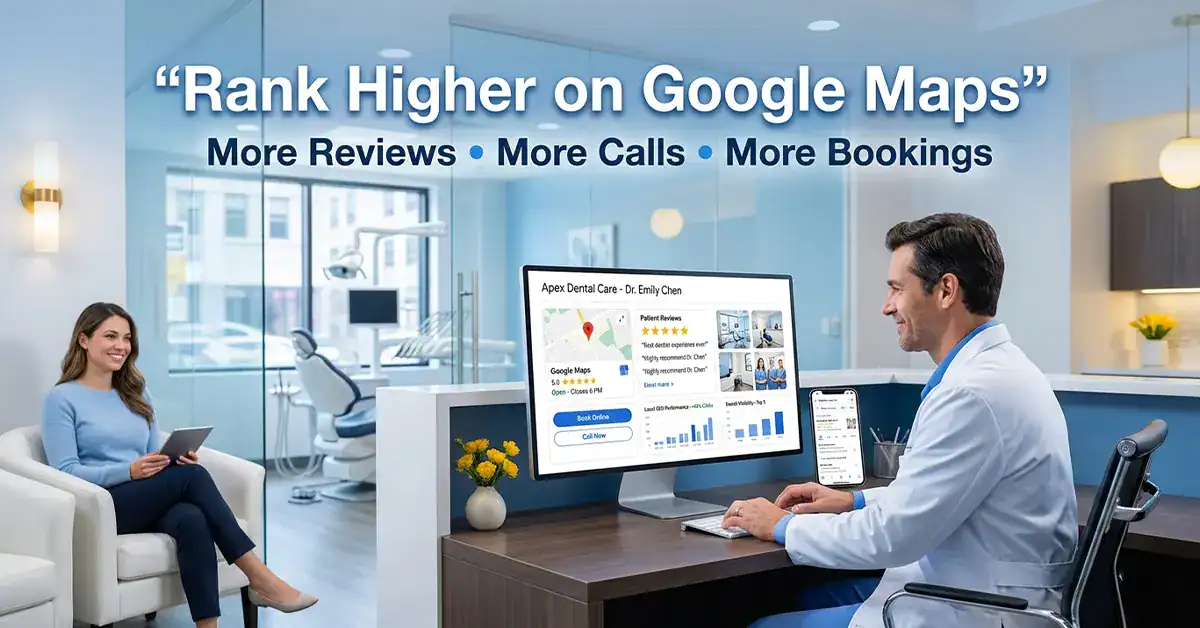
Showcase your real facility with up-to-date visuals. Include exterior shots, the reception area, treatment rooms, and team members to convey transparency and professionalism.
Feature at least one genuine photo of a smiling staff member to reinforce warmth and patient trust in your practice.
5. Post Regular Updates on Google
Keep your profile active with concise posts that mix helpful info and tangible value for patients. Share routine updates, service spotlights, seasonal tips, and timely reminders that answer common questions about dental visits.
Aim for a consistent posting cadence, such as weekly or biweekly, to signal ongoing activity to Google and to maintain visibility in local search results.
6. Encourage and Respond to Patient Reviews
Encourage patients to share their experiences after visits, and respond thoughtfully to every review. Timely, professional replies show you value feedback and care about the patient experience.
Regular review activity supports credibility with prospective patients and helps Google understand your practice’s reputation.
7. Include a Direct Appointment Booking Link
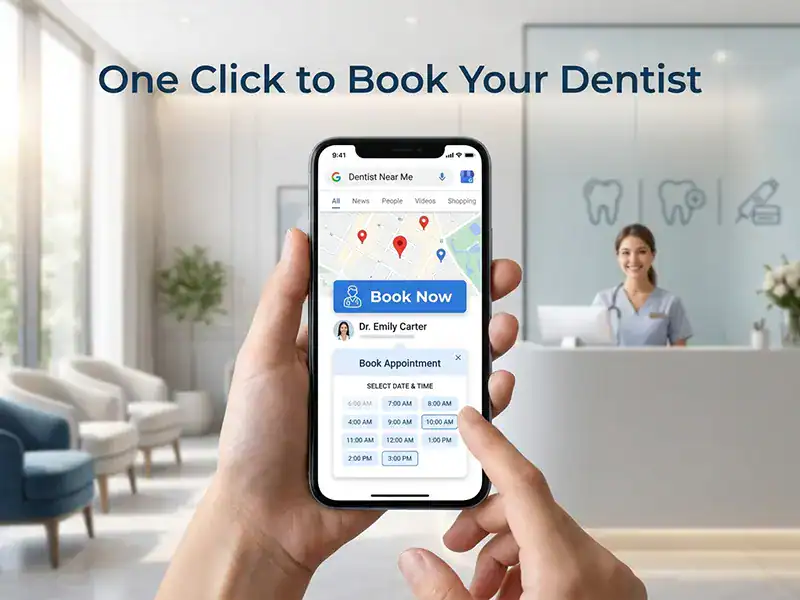
Add a clear booking link on your profile so patients can schedule online appointments directly from Google with one click. Place the link near your contact info and use a concise CTA such as “Book now.”
Direct access to booking reduces friction and can boost conversion rates by guiding patients straight to the calendar. Make sure the link opens quickly and works across devices to encourage immediate action.
8. Optimize Your Profile with the Right Categories
Choose applicable categories that reflect your practice, for example, Dentist, Cosmetic Dentist, Family Dentist, Pediatric Dentist, and Emergency Dentist. This precise labeling helps Google match you with relevant search results, boosting your visibility.
Start by auditing your services: list the top three patient needs for your area, then map each to a category. If you routinely perform ortho or implants, add those as separate categories to capture niche queries.
To avoid misclassification, review your Google Business Profile quarterly and remove outdated terms. Misleading labels can hurt click-through rates and trust.
For Sohel Farazy, align categories with your core specialties and regional demand to maximize match quality and patient inflow.
9. Leverage Local SEO Best Practices
Apply practical local SEO steps that align with how patients search for dental care. Start with keyword research focused on your area and map terms to on-page elements like titles, descriptions, and content. Maintain consistent NAP across Google Business Profile, Facebook, Yelp, and your website footer. Review quarterly to catch changes.
Enhance mobile performance and user experience. Improve page speed, simplify contact forms, and include a click-to-call option. Add schema markup for local businesses, services, and reviews to help search engines surface rich results. Track call activity to understand which profiles drive patient inquiries and refine accordingly.
10. Monitor Performance and Adjust
Track key metrics regularly to understand what resonates with local patients. Focus on impressions, clicks, calls, and appointment bookings to determine where to refine your profile.
Use insights to test small changes. For example, rotate two different description lines or swap a photo to see which drives more engagement. Implement the highest performing variant for a set period before testing again.
11. Keep Your Profile Active and Current
Regular updates signal to patients and Google that you are actively serving your community. Maintain accurate hours, services, and contact details so inquiries and bookings flow smoothly.
Calendar reminders help you stay proactive. Schedule quarterly audits of hours, service lists, and booking options to catch changes before they impact patients.
Communicate changes clearly. If you extend weekend hours or adjust parking information, reflect it on your profile and send a quick update to subscribers or via a brief post.
Active profiles reduce confusion and support consistent patient experiences. When information stays fresh, patients trust your practice and are more likely to book.
12. Add Service Descriptions with Keywords
Expand on each service with concise, keyword-rich descriptions that address patient intent. Focus on outcomes, procedures, and what sets your practice apart.
Organize services into logical groups such as Preventive Care, Restorative Procedures, and Cosmetic Dentistry. Align each description with common questions patients ask, like cost range, duration, and recovery expectations.
Incorporate local search terms naturally. For example, reference your city or neighborhood alongside procedures like teeth whitening, dental implants, or emergency dentistry to improve relevance in local results.
13. Reputation and Reviews
Develop a steady review cadence that aligns with patient touchpoints beyond completed visits. Schedule quarterly solicitations after key milestones such as cleanings, new procedures, or treatment plan completions, and follow up with a documented response process. Tag reviews by service type to tailor follow-ups and demonstrate ongoing care.
Respond promptly and professionally to all feedback with a calm, solution-oriented tone. If a patient cites a delay or issue, acknowledge it, outline steps taken, and offer a concrete remedy to restore confidence.
Showcase credibility by highlighting representative experiences in concise quotes within service pages or case studies, and link to related outcomes. Pair a brief testimonial with a context image to illustrate impact and reliability.
A robust reputation supports trust and local rankings by sustaining consistent review activity, timely responses, and transparent outcomes. Monitor metrics like sentiment score and average response time quarterly to refine outreach tactics and improve patient perception.
14. Direct Appointment Booking Link
Keep a clear, accessible booking link on your profile so patients can secure appointments with one click. Place the link where it’s easily visible, such as near the contact information, and test different captions like “Book now” or “Schedule an appointment today.”
Track performance with a URL that enables click analytics, and review placement quarterly to maximize conversions. If page load times are slow, move the booking widget to a faster server or implement a lightweight booking flow to reduce friction.
15. Quick Wins for a Dental Practice
Start with a profile that reflects your practice accurately and is easy to act on. Align your name, address, and phone number across essential directories within 24 hours of any change to minimize confusion for patients and search engines.
Set up verification and respond to inquiries promptly to build trust. Schedule quarterly checks to catch inconsistencies and update details after relocations or phone number changes.
Keep the profile active by posting updates regularly and clearly describing services with patient-friendly, keyword-rich language. Enable online booking and routinely review analytics to identify terms that drive the most inquiries and adjust your approach accordingly.
16. Final Takeaway
A well-managed Google Business Profile helps dentists reach more local patients, appear in maps and search, and convert clicks into bookings. Start with claim and verification, keep details accurate, and stay active with posts and reviews. For example, verify via postcard, phone, or email, then audit your profile monthly to fix hours, services, and contact options.
Introduction for Sohel Farazy
You can rely on Sohel Farazy for local SEO that draws patients to your dental practice. With seven years of experience, I help dentists improve local search rankings, grow online presence, and gain more patient calls with flexible terms and proven results. In practice, I’ve helped clinics increase booking clicks by 22% after updating service categories and adding operator hours for weekends.
Main keyword in two lines: Dentist Google Listing Optimization is about making your dental practice easier to find on Google by optimizing your profile, posts, photos, and reviews. It helps patients book appointments fast and trust your care. Tools to use include adding 3 to 5 high-quality photos, posting weekly updates, and soliciting reviews after every successful visit to build credibility.
1. Introduction
Why Google listing optimization matters for dentists
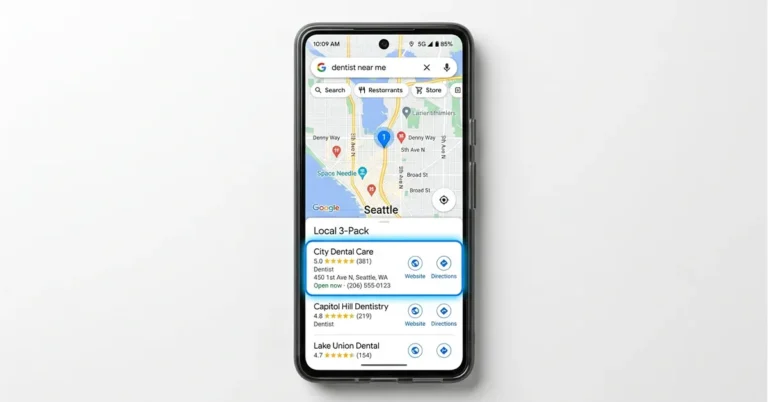
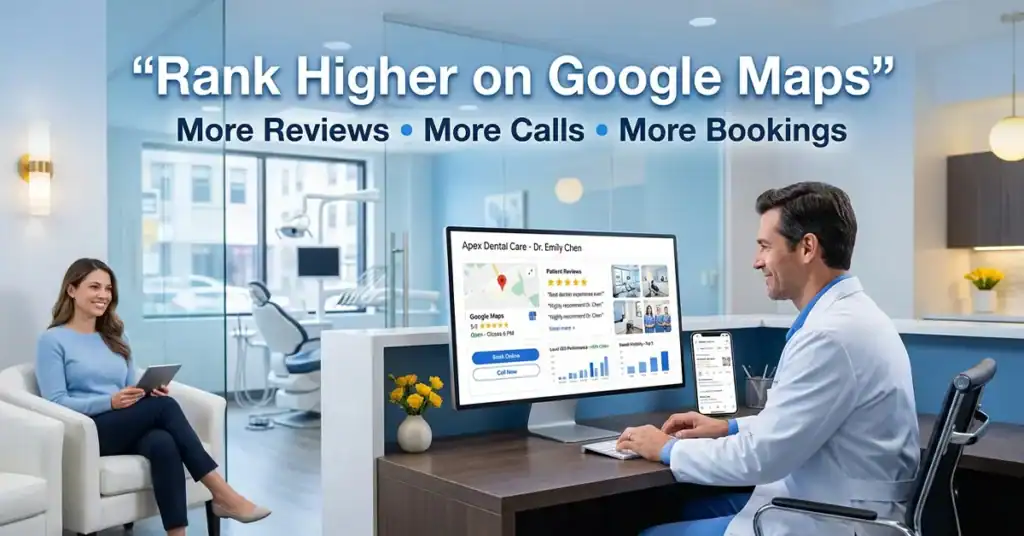
A well-managed Google Business Profile helps patients find your dental practice quickly. It improves local search visibility, makes your office easy to contact, and surfaces essential details like hours, services, and location. An accurate profile builds trust and encourages more local calls and visits.
When your listing clearly reflects your practice, patients choose you over nearby options. Focus on the information people care about most: where you are, when you’re open, and how to book an appointment directly from Google Maps or Google Search.
What you will achieve with a refined profile
With a refined profile, you can:
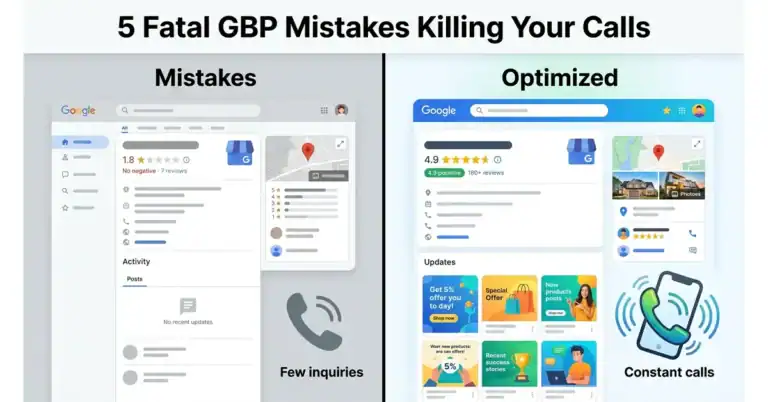
- Raise local visibility and credibility in Google Maps and search results. For example, adding current patient reviews and a precise services list can boost click-through rates.
- Make it easy to act by including a direct booking link and a prominent call-to-action button so patients can convert in seconds.
- Showcase core services such as emergency dentistry, pediatric dentistry, and cosmetic options with service-specific photos and concise descriptions to preempt common questions.
Sohel Farazy focuses on practical, fast wins that require minimal commitment and pave a clear path to more patient engagements.
Related Innovation
| Patent · 2021-09-07 US11113333B2Automated content tag processing for mobile mediaAutomates tagging for content delivery to mobile devices to optimize content presentation based on tag processing. | View Patent |
1. Claim, Verify, and Optimize Your Google Business Profile
Claim and verify your listing
Claiming your profile gives you control over how your dental practice appears in Google Search and Google Maps. Verification confirms ownership and helps ensure updates reach patients quickly. An unverified profile may stay hidden in local results.
Example: A mid-sized practice in Brooklyn found only the doctor’s name showing until they verified, after which the listing displayed phone, hours, and an appointment link. Tip: Use the official verification code from Google and complete the post verification tour to unlock edits.
Set the primary category to Dentist and add relevant secondaries
Choose Dentist as the main category to align with how patients search. Add secondary categories like cosmetic dentistry, family dentists, or pediatric dentists to capture related queries. This improves local visibility.
Example: A practice added “Cosmetic Dentist” and “Pediatric Dentist” as secondaries to attract veneer seekers and family visits. Tip: Review monthly search terms and adjust categories to reflect evolving services.
Complete Every Field: NAP, hours, website, booking
Enter your NAP exactly as it appears on your site and receipts. List current hours, a link to your website, and an online booking option to streamline scheduling.
Data point: accurate hours reduce missed appointments. Action step: publish holiday hours separately and adjust booking availability during peak periods to prevent gaps.
2. Nail Your Local Listings Consistency (NAP) Across Platforms
Ensure name, address, and phone match across sources
Publish the exact same name, address, and phone number on every listing. Inconsistent details erode trust with search engines and patients alike. Coordinate between Google profiles, your website footer, and local directories for a unified footprint.
Harmonize abbreviations, suite numbers, and punctuation. Use a consistent format everywhere to minimize misreads by algorithms and users.
Impact on local rankings and patient trust
A consistent NAP strengthens local rankings and makes your practice reliably present in maps and search results. This reduces friction for patients trying to reach you and boosts click-to-call actions.
Uniform NAP signals credibility. When details align, new patients feel more confident scheduling with your team, leading to fewer contact-point drop-offs.
- Audit all listings quarterly to catch discrepancies and correct them promptly.
- Maintain a single master NAP document with approved spellings, formats, and punctuation.
- Resolve conflicts quickly by contacting platform support or listing partners, and document changes.
3. Optimize Your Business Description and Services for Dentists
Write a keyword-rich, patient-focused description
Craft a concise summary that speaks to patient needs and naturally includes terms like dental implants, cosmetic dentistry, and family dentistry. Highlight outcomes and benefits, so readers see value quickly.
Explain what makes your practice distinctive, such as a gentle approach, pediatric-friendly care, or same-day whitening. Keep sentences short for easy mobile scanning.
List dental services with precise terms and pricing where appropriate
Provide a clear services list using standard dental terminology such as checkups, fillings, crowns, root canals, implants, teeth whitening, and preventive care. When possible, share price ranges to set expectations.
Organize services into sections like Preventive Care, Cosmetic Dentistry, and Restorative Procedures to help patients find what they need and to improve relevance for local searches.
Optimize for Google Business Profile and local search signals
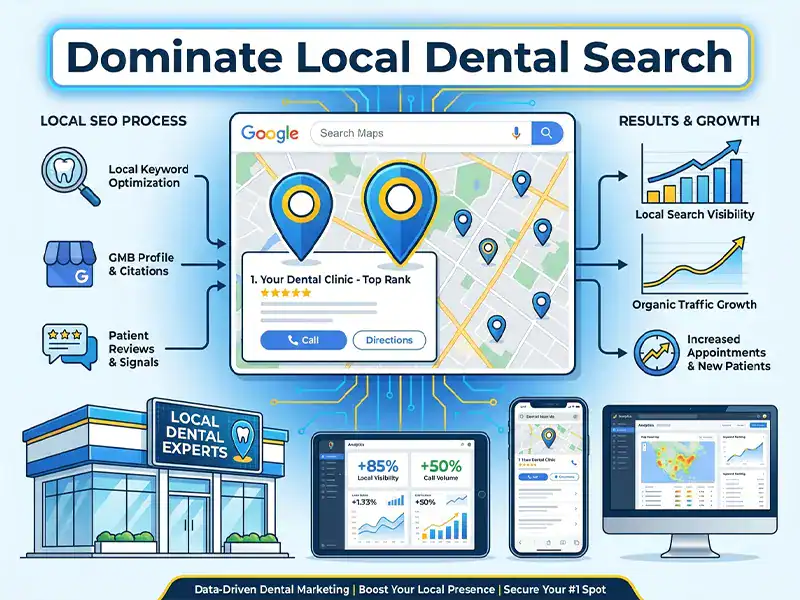
Claim and verify your Google Business Profile so your practice appears in local results and on Google Maps. Verification can be done by phone, email, video, live chat, or postcard, and is worth the effort for visibility.
Keep your NAP consistent across your website and local listings. Inconsistent details can hurt local SEO and confuse patients.
Enhance the description with service depth and trust signals
Use clear language to detail key services like teeth whitening, dental implants, emergency dentistry, and pediatric dentistry. Mention care standards, comfort measures, and staff expertise to build trust.
Use high-quality visuals to support the description
Pair descriptions with professional photos of the office, treatment rooms, and staff. Ensure image filenames are descriptive and add alt text to improve accessibility and local indexing.
Include a direct appointment option
Provide an easy path to booking directly from your profile or website. A clear booking link can boost conversions and attract more patients.
By clearly presenting what you offer, how you help patients, and how to book, you improve local visibility and trust with potential patients.
4. Use High-Quality Visuals and Virtual Tours
Upload current photos of the practice
Use fresh, well-lit images that reflect the current space and team. Include the reception, treatment rooms, and staff in action to convey professionalism and warmth. A cohesive visual style enhances credibility on Google.
Incorporate a virtual tour and descriptive captions
A 360° tour invites patients to explore the office online, supporting comfort and confidence. Highlight key areas like the lobby, operatories, and sterilization zone with clear captions that guide the viewer.
- Capture images with a clean, inviting composition.
- Include alt text for accessibility and indexing benefits.
- Update visuals after renovations or changes in decor to reflect the current reality.
Pro tip: Pair visuals with your Google Business Profile updates to reinforce local relevance. Maintain consistent NAP across listings and ensure images align with your brand identity.
5. Leverage Google Posts and Offers for Patient Engagement
Create timely posts for promotions, events, and new services
Highlight promotions, events, or newly added services with clear, patient-focused language. Include a concrete next step, such as booking an appointment through a direct link, and specify any relevant deadlines to create urgency.
Best practices for post frequency and CTAs
Establish a steady posting rhythm that reflects current promotions and new services. For example, share a monthly update on a new procedure and a biweekly reminder about an upcoming event. Pair each post with one clear call to action, like book now or learn more.
- Coordinate posts with holidays or local events to stay relevant.
- Use high-contrast visuals and approachable language to attract attention.
- Review performance regularly and tailor topics to what resonates with patients.
Expert Insight
“Google speaks their language. Most healthcare content doesn’t. Not because medical professionals lack knowledge , But because effective health communication is a skill on its own.” , Healthcare Content Strategist
6. Manage Reviews: Acquisition, Response, and Reputation
Encourage patient reviews ethically
Ask satisfied patients to share their experiences in a respectful, non-pushy way. Provide clear instructions on how to leave a review and offer multiple avenues, such as Google, while avoiding incentives that could bias feedback.
Encourage reviews after key milestones like cleanings, whitening results, or implants to capture fresh impressions. Tracking requests helps maintain a steady flow of new feedback.
Respond to reviews professionally and promptly
Thank patients for positive feedback and acknowledge concerns in a calm, solution-oriented tone. Quick responses build trust and show you value patient input.
Use a consistent format for responses and address specifics from the review. Clear, courteous language communicates professionalism to prospective patients.
Handling negative feedback
Respond publicly with empathy, then offer a private channel to resolve issues. Demonstrating a constructive approach can turn a negative experience into a resolution and potentially a new patient.
Document recurring themes from reviews to identify service or process improvements. Proactive fixes can improve overall patient experience and online ratings.
Expert Insight
“Patient-centered care means empowering patients and their families in medical decisions, treating the whole person with empathy, respect, and shared decision-making.” , Healthcare Ethics Expert
7. Optimize Appointment Booking and Service Areas
Integrate booking links for easy scheduling
Place a direct booking link in your profile description and recent posts to reduce friction. For example, include a one-click calendar link in the bio and pin a post with available slots for the week.
Specify service areas and patient access information
Outline the neighborhoods you serve and map out intake steps, parking options, and accessibility. A simple flow helps families see how to check in and where to wait, making it easy to choose your practice.
- Add a booking widget or link in the Services or About sections
- Highlight emergency walk-in policies for urgent care
- Clarify parking, public transit options, and wheelchair accessibility
FAQ
1. What is a Google Business Profile for a dentist
A Google Business Profile is a free listing that surfaces your practice in local search and on Google Maps. It helps patients quickly see hours, location, and services at a glance. For example, a patient nearby can find your weekend hours in seconds and book an appointment directly from the profile.
2. How to claim and verify your listing
Start by claiming the listing through Google Business Profile, then complete Google’s verification steps. Verification confirms ownership and unlocks full editing rights. Practical tip: Use a business phone line or official practice email to receive the verification code without delays.
3. What information to include in your profile
Include the practice name, address, phone, hours, website, and an overview of dental services. Add photos of the office and team to boost credibility and trust. Example: upload a team photo, a clean reception area, and a close-up of the dental chair to reduce anxiety.
4. Key profile categories and booking
– Primary category: Dentist – Secondary categories: Emergency dentist, Cosmetic dentist, Pediatric dentist – Booking link or widget for easy appointments Tip: keep the primary category exact and use secondary categories to capture niche search intents.
5. How often to update posts and offers
Post updates at the start of each month or around local events. Keep posts concise, with a clear call to action like book now or learn more. Real-world practice: run a monthly post schedule tied to community health events for higher relevance.
6. Do reviews matter for rankings
Yes, reviews influence local trust and click-through rates. Respond professionally to all reviews to show care and consistency. Actionable step: set aside 10 minutes weekly to thank positive reviewers and address constructive feedback.
7. Can I manage multiple locations
Yes, you can create and manage multiple profiles for different offices. Ensure each profile has unique details and consistent NAP information. Practical caveat: tailor each profile to its locale while standardizing hours and contact methods to avoid confusion.
8. Practical setup checklist for Sohel Farazy
– Verify ownership using the main practice phone line and official email.
– Upload 5, 7 high-quality photos covering reception, treatment rooms, and staff.
– Create 2- 3 location-specific posts per quarter tied to seasonal dental campaigns.
– Monitor reviews weekly and respond within 48 hours.
– Align NAP across all profiles to minimize local search discrepancies.
Conclusion
Sohel Farazy treats your Google Business Profile as a reliable front door for new patients. A well-optimized listing helps you appear in local searches, on Google Maps, and in voice search used by families seeking dental care.
A consistent setup, clear service descriptions, and active engagement with reviews turn visibility into real patient inquiries. This is how you move from being seen to getting verified appointments.
Next steps you can take now:
- Claim and verify your profile to unlock full editing power and trust signals. For example, complete the profile, add photos of your office, and verify via postcard or phone.
- Standardize NAP across platforms to reinforce local relevance and accuracy. Check at least quarterly that the name, address, and phone number match your website and other listings.
- Showcase services with precise terms that patients search for, including common procedures like implants and teeth whitening. Add pricing ranges if permitted and create service-specific posts to answer frequent questions.
We focus on practical improvements that deliver tangible results. Our goal is to boost your dental practice’s local presence and drive direct calls from people looking for a trusted dentist nearby.
Expert Insight
“A well-structured Google Business Profile strategy that treats each doctor as its own targeted search presence, combined with consistent NAP, precise service terms, and active review engagement, turns local visibility into direct patient inquiries.” , Industry Analyst
References
- Optimize Google Business Profile for Dentists in 2025
- How to optimize Google Business Profile for dentists? : r/Dentalbase
- 7 Easy Ways to Optimize Your Google My Business Listing for Dentists
- Dental Practice Google Business Profile Optimization: 8 Little …
- Local SEO for Dental Clinics: How to Rank #1 on Google and …