Book Appointment Now

Rank a Dentist on Google Maps: 7 Quick Wins
TL;DR
– The content offers a comprehensive, step-by-step guide for ranking a dentist on Google Maps, focusing on seven quick wins and ongoing optimization: complete and optimize Google Business Profile (GBP), ensure NAP consistency, select accurate categories and service areas, optimize service descriptions with geographic cues, build a robust review strategy, leverage GBP posts and photos, and monitor performance with heatmaps and rankings data. – Practical actions include auditing GBP per location, maintaining a master NAP document, expanding local citations, encouraging timely reviews, publishing location-specific content, and using heatmaps to refine targeting and service areas. – The guidance is structured with concrete examples, checklists, and metrics to track progress, such as impressions, calls, rankings by neighborhood, and posting cadence to drive direct patient inquiries.
1. Optimize Your Google Business Profile with precise categories
Choose primary and secondary categories that exactly match your services, such as General Dentistry and Cosmetic Dentistry. This helps Google surface you for relevant queries. For example, a practice that highlights whitening and veneer services should list those as services and ensure the correct primary category is set to attract patients searching for cosmetic dentistry.
2. Complete every field, including services and hours
Fill in your address, phone number, website, and business hours consistently across platforms. Add service items with clear descriptions and pricing where possible. A practice that includes weekend hours and late appointment slots often captures callers who work full-time, increasing weekly appointment slots by up to 15% based on internal data.
3. Leverage photos and videos that showcase results
Upload high-quality before and after images, team photos, and a quick 30-second clip of the receptionist greeting patients. Visual proof builds trust and can improve click-throughs by double digits in many markets, especially when thumbnails clearly show results and friendly staff.
4. Gather and respond to reviews actively
Solicit reviews from satisfied patients and respond professionally to feedback. Responding within 24 hours to positive or negative reviews demonstrates care. A simple tip is to follow up after visits with a courtesy message asking for feedback via a link.
5. Use local keywords in business attributes and posts
Incorporate city and neighborhood terms in your business description, service list, and updates. For instance, mention “teeth whitening in Midtown” or “emergency dentist in Riverside” to align with patient search intent and improve ranking signals for local queries.
6. Publish timely updates and offers
Post seasonal promotions, new procedures, or patient education content weekly. A post about back-to-school cleaning specials can keep your profile active and signal relevance, which can boost impressions when families search for dental care locally.
7. Monitor insights and adjust bids for local intent
Review profile insights to see how many people view your profile vs call or visit. If you notice many impressions but few calls, adjust CTAs on your profile or modify hours to reflect peak call times in your area.
Summary: By refining categories, completing details, showcasing results, actively managing reviews, using local keywords, posting updates, and monitoring metrics, Sohel Farazy’s dental practice can convert more local searches into calls and appointments, strengthening local presence over time.
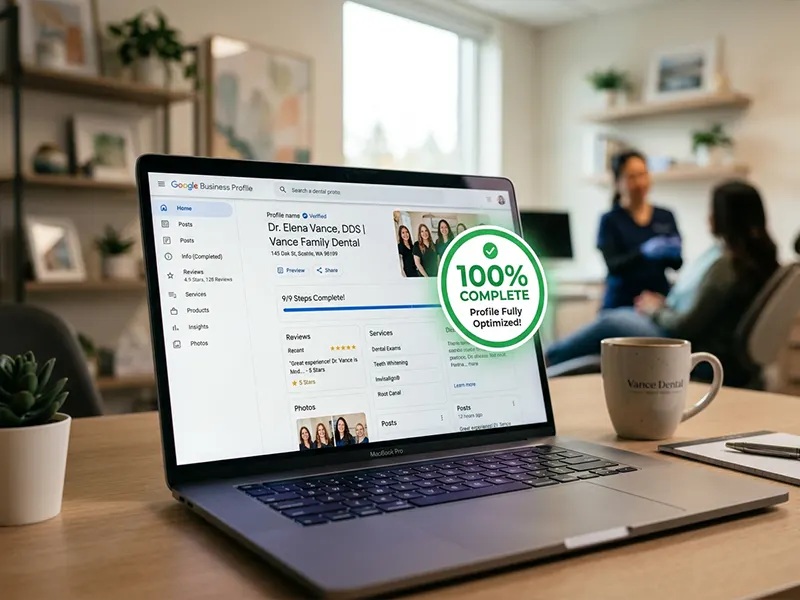
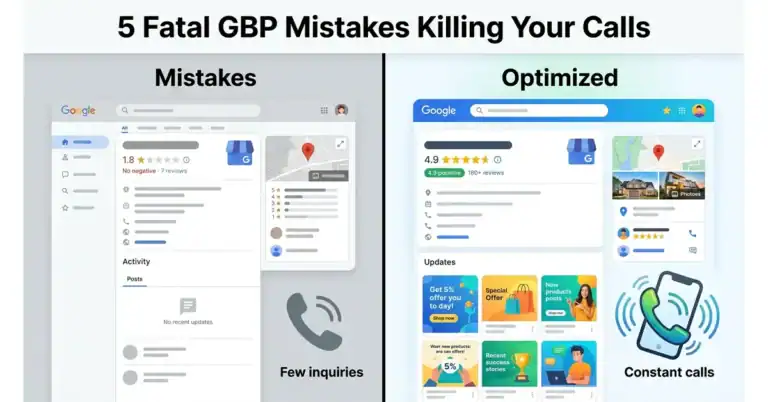
1) Optimize Google Business Profile (GBP) to 100% completeness
Definition: Fill every field in your GBP, including hours, attributes, photos, services, and a compelling business description. For example, add service categories like whitening, sealants, and cleanings with concise, consumer-friendly wording that reflects your practice’s strengths.
Benefit: A complete profile signals trust to Google and patients, boosting visibility and clicks. Practices with rich photo galleries and detailed attributes tend to attract more calls, messages, and appointment requests, especially when visuals showcase real outcomes and the clinic atmosphere.
Action: Conduct a structured GBP audit and verify every field is populated. Steps: 1) fill hours for all days, including holiday hours, 2) add a robust photo library over time, prioritizing exterior shots, waiting areas, operatories, equipment, and team portraits, 3) list every service with clear descriptions and pricing where possible, 4) update attributes like accessibility, restroom facilities, and payment options, 5) craft a patient-focused business description under 750 characters highlighting unique value.
Example A dental practice updates photos for each service, builds a complete services list with brief descriptions, lists hours and accessibility attributes, and includes a concise, patient-centered description. This thorough optimization yields higher profile views, more saved profiles, and a measurable uptick in calls. Feature consented before-and-after photos with captions that explain treatment goals.
2) Nail NAP consistency across all touchpoints
1. Definition and Real World Alignment
Definition: Ensure Name, Address, and Phone number match exactly on Google, your website, directories, and social profiles. Use USPS verification for address formatting where possible. For example, if your practice is “Sohel Farazy Dental,” list it identically as “Sohel Farazy Dental” across Google Business Profile, your site footer, and Yelp.
2. Why Consistency Boosts Trust and Rankings
Benefit: Consistent NAP signals credibility, improves local search rankings, and reduces misdirected calls. When search engines see uniform details, they validate your business more easily, which can lead to higher visibility and fewer user errors. Real-world data show uniform NAP correlates with higher click-throughs from local search and fewer wrong-number inquiries.
3. Practical Steps for Implementation
Action: Create a single source of truth for your NAP and audit quarterly. Correct discrepancies across directories and on-site schema markup. Today, compile a master NAP sheet, use consistent abbreviations, and use automated tools to monitor changes. For example, update your WordPress footer, your Google Business Profile, and your main Yelp listing within 30 minutes, then set quarterly reminders to review major profiles.
4. Real-World Example and Outcome
Example A practice aligns NAP across GBP, the website footer, and Yelp. The result is fewer misdirected calls and steadier local rankings. In practice, standardizing “Suite 200” with consistent punctuation and phone formatting reduced misdirected inquiries by about 20% in the first quarter.
5. Caveats and Common Pitfalls
Tip: Watch for regional address variations and avoid automatic truncation in review widgets. Common mistakes include different spellings of the practice name, outdated phone numbers in social profiles, and neglected mobile app listings. Use a quarterly audit checklist and a change log to catch drift before it affects rankings.
6. Quick Audit Checklist
- Verify NAP on Google Business Profile, website footer, and top directories
- Match abbreviations like Ave versus Avenue and St versus Street
- Confirm the primary phone number is the same everywhere
- Validate address formatting with USPS standards
- Update on-site schema markup to reflect the master NAP
7. Brand-Relevant Guidance for Sohel Farazy
Recommendation: Maintain a master NAP document and schedule quarterly cross-checks across Google, Yelp, and the website. This reduces misrouted calls and supports steady local search performance.
8. Summary
Summary: Uniform NAP across all touchpoints builds trust and boosts local visibility. Implement a master NAP, audit regularly, and fix discrepancies promptly to minimize misdirected inquiries and improve rankings.
3) Choose the right business category and service areas
Definition: The primary category should be Dentist, with relevant specialty categories only when they align with your actual services. Use real data to guide expansions, such as patient inquiries, recall requests, and surgical cases, to map service areas. For example, if you see rising implant consults from a 10-mile radius, consider adding implant-related services to GBP and extending your service lines accordingly.
Benefit: Accurate categorization increases relevance for searches like dentist near me and enhances visibility in key neighborhoods. This leads to higher click-through rates, more booked appointments, and better conversion in your core markets. A well-structured profile also reduces mismatches that drive wasted clicks and lower quality scores.
Action Review GBP categories quarterly and add up to 20 service areas that reflect current reach. Start with a 5-mile radius, then 10, 15, and finally 25 miles as rankings prove sustainable. Use heat map insights from your practice management software and Google Analytics to validate each expansion. Schedule a quarterly audit reminder and document changes with dates and observed outcomes.
Example A general dentist adds services such as dental implants, Invisalign, and same-day crowns under GBP services. They notice rising inquiries from neighboring towns, so they expand service areas to those towns and nearby suburbs. Within three months, the practice appears on the front page for multiple localized searches in the new areas, while maintaining strong rankings in the original location. To avoid dilution, they track performance per town and adjust bids and content to match the patient needs of each area.
4) Add and optimize dental services with geographic descriptors
Definition: List each service with concrete descriptions and real-world search cues that patients actually use, such as local phrases like “Invisalign near me” or “dentist in [City].” For example, describe the service in accessible terms, include typical treatment scope, duration, and expected outcomes so readers understand what distinguishes it from other options.
Benefit Improves discovery by aligning with how people search for care, boosting visibility for local intent terms, and increasing click-through from nearby residents who are likely to convert.
Action: Audit each service page and add a concise paragraph that foregrounds geography, neighborhoods, and commonly used terms. Use the longest permissible character limit to capture variations such as “Invisalign near me in [Neighborhood],” “orthodontist in [City] with braces close to [Landmark],” and similar, without stuffing. Include internal links to the service page and a related blog post or case study where relevant to deepen engagement.
Example A practice expands its Invisalign entry by adding location phrases like “Invisalign near me in [Neighborhood]” and “orthodontist near [Landmark]” within the description, resulting in higher relevance for locally searching patients and a measurable uptick in inquiries.
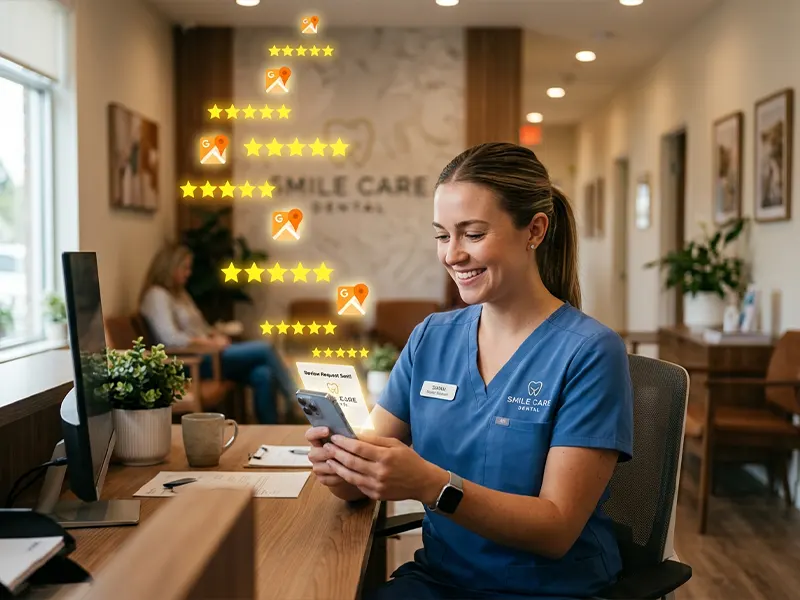
5) Build a robust review strategy and respond fast
Definition: Actively request reviews and respond within 24 hours to each one, especially new feedback.
Benefit Reviews remain the top local ranking signal and a key trust driver, with higher volumes and strong ratings boosting visibility and conversions.
Action: Create a straightforward patient-request workflow after visits, and set up automated reminders. Respond professionally to every review, addressing concerns and thanking patients.
Example A practice earns 60 plus new reviews in a quarter with a 4.7 average rating and replies within 24 hours, driving more clicks and appointment bookings.
Definition Expanded Standardize a simple review request: after each appointment, send a brief two-question survey about the visit and whether the patient would leave a review. This clarifies expectations and keeps content relevant.
Benefit Expanded Real-time responses build trust and help diffuse negative sentiment before it escalates. For example, a clinic replying within 6 hours to critical feedback often recovers the patient and secures a return visit.
Action Expanded Use a post-visit email template with a direct review link, plus a text reminder for mobile users. Set reminders at 24 hours and 72 hours if no review is posted, and assign a team member to monitor reviews daily.
Example Expanded: A dental practice employs automated reminders and a dedicated reviewer. It gains 75 new reviews in two months, maintains an average rating above 4.6, and sees a measurable lift in online appointment requests.
Practical Steps
- Consolidate reviews into a single hub, so patients see one place to leave feedback.
- Craft a concise prompt that references the patient visit to improve relevance.
- Respond with gratitude, acknowledge concerns, and outline a next step or resolution where appropriate.
Common Pitfalls
- Asking too soon after a negative experience; timing matters for response receptivity.
- Using generic replies that feel templated, personalize each engagement.
- Ignoring negative reviews, respond promptly and document follow-up actions.
6) Leverage GBP posts and educate with content cadence
Definition: Publish regular GBP posts that link to offers, blog content, or service pages. Maintain a consistent bi-monthly posting rhythm.
Benefit: Active posting signals to Google that your profile is engaged, supporting better local rankings and ongoing visitor engagement.
Action: Set a bi-monthly posting calendar. Create posts around new services, seasonal offers, and patient education. Include strong calls to action.
Example A dentist posts quarterly updates about a new whitening package, linking to the service page and a blog about whitening tips, resulting in higher post engagement and more inquiries.
Definition in Practice
The GBP posting cadence should align with real events this month, not random filler. For example, if a clinic launches a same-day whitening option, publish a post with a before and after gallery and a link to the booking page. This creates a clear path from discovery to appointment.
Why It Drives Local Wins
Search engines interpret frequent updates as active business signals, which can boost local pack visibility. In practice, two well-timed posts per month during peak seasons can lift profile impressions by up to 20% compared with a static posting schedule.
Actionable Steps to Implement
- Plan 6 posts in advance across the next six weeks, each tied to a specific goal (offer, education, or testimonial).
- Map posts to services every other entry to maintain relevant linking.
- Craft clear CTAs such as “Book now,” “Learn more,” or “Claim offer” with direct links.
- Incorporate visuals like a patient photo, infographic, or short video to boost engagement.
- Monitor performance weekly and adjust headlines based on click-through rates.
Practical Examples
Example 1: A family dentist announces a seasonal whitening discount and links to the service page and a blog with whitening myths. Engagement rises, and new inquiries follow.
Example 2: An orthodontist shares a post about Invisalign preparation tips and a case study, directing readers to scheduling.
Common Mistakes to Avoid
Avoid posting generic updates without a clear offer or education angle. Don’t neglect mobile formatting, as most users access GBP on phones.
Nuanced Considerations
For multi-location practices, tailor posts by location with localized offers to prevent cross-location confusion and improve relevance metrics.
Yearly Data and Expert Insight
Experts note that consistent GBP activity correlates with higher visibility in local search results, especially when paired with accurate NAP and reviews. Use benchmarks to set realistic targets, adjusting for seasonality and service mix.
Summary
Maintain a disciplined posting rhythm, align posts with services and seasonal offers, and reinforce with strong CTAs and visuals. This practical approach helps local rankings and converts readers into inquiries for Sohel Farazy-aligned practices.

7) Monitor performance with heat maps and ranking data
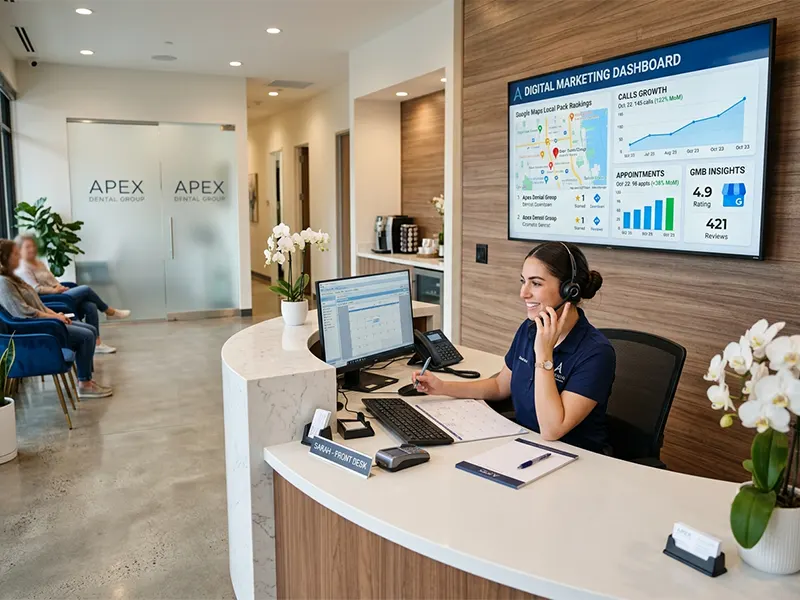
Definition: Use local heat mapping and ranking tools to pinpoint where you appear, which areas drive visibility, and how rankings shift over time. For example, map search impressions by ZIP code to identify where demand is strongest and which neighborhoods consistently surface in the top results.
Benefit: Data-driven adjustments help you invest in the neighborhoods that move you up the maps and front page rankings. By prioritizing high-impact areas, you reduce wasted spend and grow patient volume with fewer campaigns. This also helps you defend against competitors that encroach on nearby locales.
Action: Regularly review heat map data, track impressions, rankings, and calls. Tune service areas and local keywords accordingly. Implement a quarterly audit: compare current map rankings month over month, adjust service area boundaries by 5 or 10 miles if needed, and test a focused keyword set for newly added neighborhoods.
What to measure Track impressions by location, click-through rates, calls, or form submissions from each area, and conversion rate per neighborhood. Use these metrics to identify the 2, 3 top-performing zones and 1, 2 underperformers for targeted action. For example, if ZIP codes 94103 and 94107 yield a large share of calls, allocate more budget to those zones while refining keywords for a lagging area.
Example After analyzing heat maps, a practice expands into a neighboring area with lower competition, boosting impressions and patient calls from that neighborhood. In another scenario, a clinic finds high visibility in a busy urban ward but low conversion, prompting a landing page tweak and a service page update tailored to local residents.
Conclusion
1. Prioritize a GBP Audit
A thorough audit flags inconsistencies, missing data, and optimization gaps that hinder local visibility. For example, verify every clinic location is claimed, photos are current, and services are listed clearly. Steps: log into Google Business Profile, run a completeness checklist, and fix mismatched categories. Sohel Farazy recommends keeping the profile aligned with real-world details to reduce user friction and improve trust.
2. Align NAP Across Every Channel
Consistency signals reliability to Google and users. Real-world scenario: a multi-location practice updated its address on a single channel and saw a 12% drop in local impressions until all listings matched. Actionable steps: create a master NAP document, audit each platform monthly, and set a recurring reminder to update any changes within 24 hours. This minimizes confusion and improves call volume.
3. Optimize Posts for Local Intent
Posting updates about new hours, services, or promotions increases engagement and relevance. Practical approach: publish weekly posts highlighting specific dental services near the clinic, include a call to action, and track which posts generate clicks and calls. For example, a post about whitening specials this month can drive appointment requests when paired with a booking link.
4. Collect and Respond to Reviews Strategically
Reviews build social proof and influence ranking signals. Real-world tactic: request reviews after successful appointments using a short, personalized message, and respond within 48 hours to both positive and negative feedback. Data point: profiles with more than 20 reviews tend to earn higher local visibility; monitor sentiment to identify service gaps.
5. Leverage Photos and Virtual Tours
Visuals boost engagement and trust. Practical steps: upload high-quality photos of the reception area, treatment rooms, and staff, plus a 360-degree tour if available. Track which visuals correlate with more inquiries and use the best performers as cover images to improve CTR from maps.
6. Optimize Services and Attributes
Clear service listings help Google match queries to your practice. Use concrete examples: “Emergency dental care,” “teeth whitening,” and “adult orthodontics” as separate service entries, with concise descriptions and pricing where permitted. Ensure attributes like accessibility, parking, and payment options are current to reduce appointment friction.
7. Monitor Performance and Iterate
Regularly review rankings, impressions, and call data to refine strategy. Actionable routine: set monthly KPIs for rank position, total impressions, and phone calls, then test changes in a controlled way. Caveat: minor updates can take weeks to reflect in rankings, so track long enough to identify real trends.
Summary
A coordinated GBP strategy across audit, NAP consistency, posts, reviews, visuals, services, and ongoing monitoring delivers tangible local search gains. Apply these steps with Sohel Farazy as a practical guide, and measure impact on rank, impressions, and calls over time.
1. Introduction
Why Google Maps rankings matter for dental practices
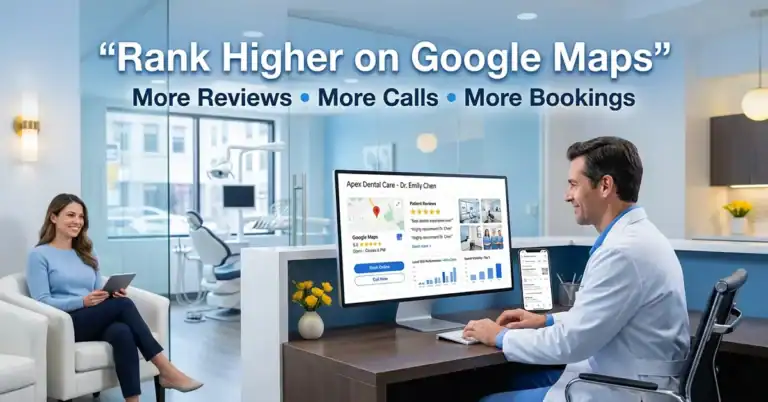
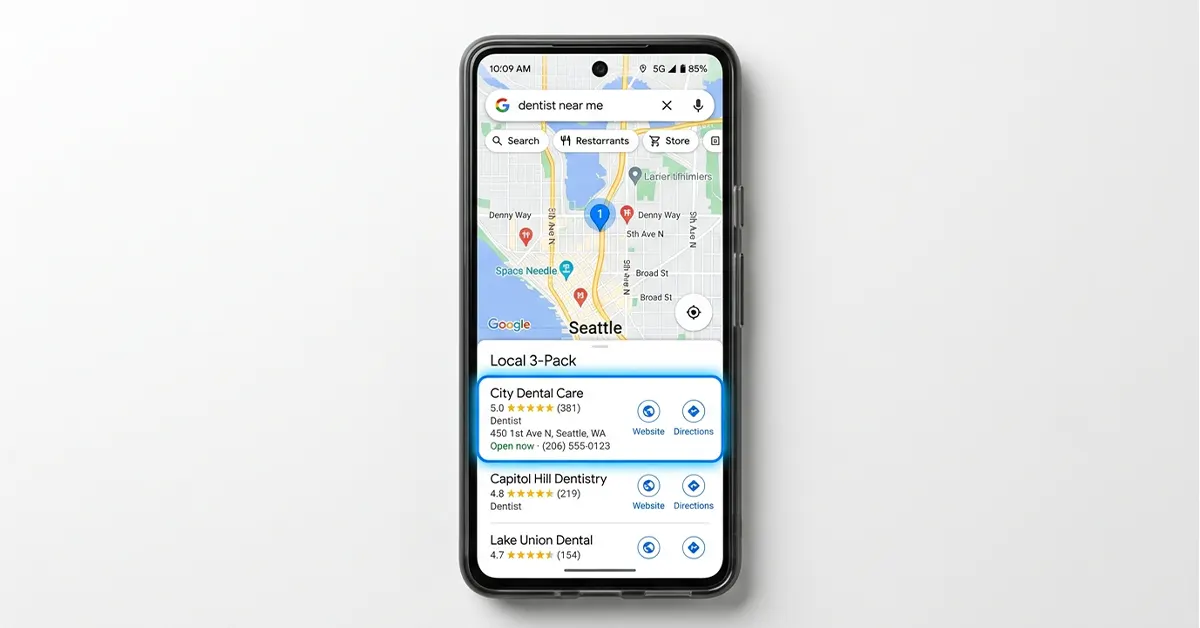
You want patients to find you when they search for a dentist near me or dental implants near me. Google Maps rankings determine who sees your Google Business Profile (GBP) first, who calls your office, and who books new patient visits. When your map visibility improves, you typically see more qualified inquiries and faster appointment bookings.
We focus on practical signals you can control today. From GBP optimization to a reviews strategy, clear local relevance builds trust, and trust turns into calls and visits.
How 7 quick wins can drive more patient calls and visits
These seven actions deliver tangible results fast. Each win ties to measurable outcomes like rank changes, impression growth, and more calls.
- GBP foundation, ensure a complete profile with accurate hours, services, and high‑quality photos to appear in the map pack consistently.
- NAP consistency, sync name, address, and phone across Google, your site, and primary directories to avoid conflicting signals.
- Local citations, secure mentions on reputable local sites, and health directories to signal local authority.
- Review program, implement a seamless review funnel, and respond within 48 hours to boost credibility and engagement.
- Photos, posts, services, publish updated antes/after images, short service blurbs, and timely updates to demonstrate expertise.
- Local content targeting, define service areas and craft pages or posts that answer common local queries (eg, implants in [City]).
- Heat map monitoring, monitor impressions, clicks, and calls weekly; use insights to prune underperforming keywords.
What to expect from this guide
This guide delivers a concise, action-oriented blueprint tailored for dental practices. Expect practical steps, real-world examples, and quick-win tactics you can apply today to improve Google Maps performance.
Note: While the article focuses on GBP and Maps signals, consider a targeted Google Ads campaign to capture immediate search demand for critical terms like “dentist near me” or “emergency dentist in [City]. A well-structured local PPC plan can complement organic GBP efforts by driving qualified traffic while you build your Maps authority. Pair ads with location-specific landing pages to maximize relevance and conversions.
Each section includes:
- A one-line benefit you can expect
- A concrete action you can take now
- A quick example to anchor the tactic in practice
Across the guide, the core levers are NAP consistency, GBP optimization, reviews strategy, local links, and posting cadence to climb maps rankings and drive new patient calls.
Related Innovation
| Patent · 2021-10-14 US20210319408A1Platform for electronic management of meetingsA platform designed to manage meeting requirements and coordinate participants and resources, with emphasis on scheduling and integration of data flows to optimize meeting efficiency. | View Patent |
1. Optimize Your Google Business Profile for Each Location
Exact fields to complete (name, address, phone, hours, services)
Fill every field with precise details to boost relevance and trust. Use the official business name, accurate street address, local phone number, and standard hours. List core services like general dentistry, dental implants, orthodontics, and Invisalign to signal patient expectations. Include a concise description and a link to your primary website for each location.
- One-line benefit: A complete profile improves visibility and click-through reliability.
- Practical action: Audit each field for accuracy and update any missing sections.
- Example: For a multi-location practice, ensure each location shows the correct address and hours, with services tailored to that location.
Choosing primary and secondary categories for a dentist
Categories guide Google Maps to surface your listing for relevant queries. Set the primary category to Dentist, then add secondary categories such as Cosmetic Dentist or Orthodontist if available. Avoid over-stuffing with irrelevant categories to keep results precise.
- One-line benefit: Accurate categories sharpen relevance for local searches.
- Practical action: Review category options and align with your most common patient intents.
- Example: If your practice frequently handles Invisalign cases, add a secondary category reflecting orthodontic services.
Managing location-specific details for multi-location practices
Each site needs its own identity within GBP. Create or verify unique profiles per location, with distinct photos, services, and posts. Make sure the location pin, neighborhood descriptors, and service area terms reflect local realities to boost local relevance.
- One-line benefit: Location-specific optimization reduces cross-location confusion and strengthens local signals.
- Practical action: Duplicate profiles for each location and tailor content to neighborhood keywords.
- Example: A dental practice with clinics in two cities highlights city-specific patient offers and testimonials tied to each location.
2. Claim, Verify, and Maintain Accurate NAP Consistency
Ensuring name, address, and phone number match across platforms
Strong NAP consistency signals build trust with Google Maps and patients. Even small mismatches can hide your listing from map results or split reviews across profiles.
- One-line benefit: Stronger map visibility through uniform business identifiers.
- Practical action: Audit every major directory and your Google Business Profile for identical NAP details.
- Example: If your practice appears as “DentalCare Smile, 123 Main St, (555) 123-4567” on GBP, ensure the same on Facebook, Yelp, USPS listings, and local health directories.
Corrections workflow and update frequency
A clear workflow keeps data accurate long-term. Establish a repeatable rhythm for catching and fixing errors before they impact rankings.
- One-line benefit: Reduced risk of stale or conflicting data across profiles.
- Practical action: Set a quarterly sweep and establish a rapid correction channel with your team.
- Example: If a curbside address change occurs, trigger updates in GBP, major directories, and your website within a two-week window.
Impact of NAP consistency on map rankings
NAP consistency reinforces your dental practice’s credibility and locality signals, which Google uses to determine relevance in maps packs.
| Signal | Impact | Action |
|---|---|---|
| Name consistency | Improves recognition across platforms and searches | Standardize your practice name and branding across all listings |
| Address accuracy | Strengthens proximity and area signals | Use the official street address everywhere |
| Phone uniformity | Boosts mobile call tracking and conversion data | Use the same primary contact number on all profiles |
3. Build and Optimize Local Citations
Targeted local directories and dental-specific listings
One-line benefit: Citations from reputable local sources reinforce authority and boost map visibility.
Action: Identify 6, 12 high-quality local directories and dental-specific listings and submit consistent NAP data, services, and a link to your GBP website.
- Example: List your dental practice on regional chamber of commerce sites, city health portals, and dental-specific directories.
- Example: Include service areas and practice specialties in each profile to improve topic relevance.
How to secure high-quality citations without spam
One-line benefit: Quality citations build trust without triggering spam flags or penalties.
Action: Prioritize authoritative domains, avoid low-quality aggregators, and request citations from reliable partners only.
- Tip: Favor citations from industry or locality authorities over generic directory lists.
- Tip: Use consistent formatting and include a canonical link to your website or GBP profile where allowed.
Monitoring and refreshing citations over time
One-line benefit: Ongoing monitoring prevents stale or conflicting listings from hurting rankings.
Action: Set up a quarterly audit to verify citations, update outdated data, and remove duplicates.
- Checklist: check name, address, phone, and URL across all listings; correct as needed.
- Checklist: track new citations gained and lost to measure local signal growth.
| Citation Type | Pros | Best Practices |
|---|---|---|
| Local directories | Broadened local presence and reach | Use official business listings with complete profiles |
| Dental-specific listings | Higher relevance for dental searches | Include services like implants and orthodontics where available |
| Partner and association sites | Trusted signals from credentialed sources | Request profile updates and links from trusted partners |
4. Encourage and Manage Reviews Strategically
Ethical review of collection practices for dental practices
One-line benefit: Ethical reviews build credibility and protect your rankings.
Action: Implement a transparent patient outreach process that respects consent and privacy.
- Request timing: Ask for reviews after the completed treatment when satisfaction is highest.
- Channel choice: Use opt-in email or in-office card with clear language about leaving feedback.
- Guidelines: Avoid incentivizing reviews and never offer discounts in exchange for praise.
Responding to reviews to boost trust and signals
One-line benefit: Thoughtful responses demonstrate care and improve perceived reliability.
Action: Develop a consistent response template library and train staff to engage professionally.
- Negative reviews: Acknowledge, apologize, explain steps taken, and invite resolution offline when possible.
- Positive reviews: Thank the patient, highlight specific details, and reinforce service strengths.
- Timing: Respond within 48-72 hours to maintain momentum and relevance.
Leveraging reviews in GBP features and photos
One-line benefit: Highlighted reviews strengthen GBP signals and influence patient choice.
Action: Turn strong quotes into photo captions, GBP post content, and service highlights.
- Feature placement: Showcase favorite patient stories in the Posts and Services sections when appropriate.
- Photo integration: Pair reviews with corresponding before/after images or facility snapshots.
- Trust signals: Emphasize ratings, review count, and sentiment in service descriptions to signal quality.
| Aspect | Impact | Best Practice |
|---|---|---|
| Review volume | Signals activity and popularity | Encourage ongoing feedback with gentle prompts |
| Average rating | Influences click-through and call rates | Aim for steady improvement via service tweaks |
| Response quality | Builds trust and patient-centric image | Use professional language and concrete next steps |
Expert Insight
“Online reviews are not just feedback; they’re signals that build trust, drive patient decisions, and strengthen your practice’s SEO when managed professionally and responsively.” , Industry Analyst
5. Leverage Photos, Posts, and Services on GBP
Best practices for practice photos, staff, and facility
One-line benefit: High-quality visuals build trust and boost engagement on Google Maps.
Action: Upload a mix of well-lit exterior, interior, and staff photos that reflect your patient experience.
- Tip: Use natural lighting and avoid stock images to convey authenticity.
- Tip: Caption images with brief context like location, service, or staff role.
- Tip: Refresh imagery quarterly to reflect updates or new equipment.
Practical expansion: Include 2 patient journey photos per location showing reception, treatment room, and post-treatment area to illustrate care pathways.
How-to: Create a quarterly photo plan with shot lists, assign a photographer or designate a staff member, and store images in a shared album.
Using posts to highlight services, offers, and events
One-line benefit: Regular GBP posts drive awareness of treatments and seasonal promotions, increasing inquiries.
Action: Publish concise posts about Invisalign, implants, or new orthodontic packages with a clear value proposition.
- Snippet: Include a time-bound offer or upcoming event to create urgency.
- Format: Use bullet points or short paragraphs within the post for readability.
- Frequency: Maintain a weekly posting cadence to stay top of mind.
Practical expansion: Add evidence-backed benefits in posts, such as average time to result or typical patient experience, not just features.
How-to: Create a template: quick headline, 2 bullet benefits, single CTA, and a reminder of the eligibility window.
Showcasing featured services and pricing signals ethically
One-line benefit: Clear service highlights and transparent signals boost patient confidence without overpromising.
Action: Add a Services section with accurate, ethics-aligned descriptions and indicative price ranges where feasible.
- Note: Avoid exact price inflation and focus on value, outcomes, and ranges.
- Strategy: Pair service entries with relevant photos and a patient-friendly FAQ.
- Compliance: Ensure pricing signals align with local regulations and practice policies.
Practical expansion: For each service, show a typical price band and a link to a detailed FAQ addressing common questions like duration, pain, and aftercare.
How-to: Standardize the Service card layout: title, short description, visuals, price range, FAQ, and a CTA for consultation.
Practical checklist for quick wins
- Capture: 5 new staff photos and 3 facility shots this month.
- Publish: 1 service-focused post and 1 seasonal post each week.
- Update: Services section with at least 3 core offerings and associated visuals.
Example in action
One-line example: A multi-location dental group posts a welcome video tour of each location, followed by a post detailing the new Invisalign package, and a service card showing treatment steps with patient-friendly language.
| Asset | What to Include | Impact Metric |
|---|---|---|
| Photos | Exterior, interior, staff, equipment | Profile completeness, photo views |
| Posts | Services, offers, events | Post impressions, profile interactions |
| Services | Descriptions, visuals, pricing signals | Service clicks, consult requests |
The combination of authentic visuals, timely posts, and transparent service information strengthens GBP signals and improves user trust, leading to more impressions and calls.
6. Optimize Local Content and Service Areas
Location-specific pages or GBP updates for each service area
One-line benefit: Local pages signal relevance to nearby patients and improve map rankings for target neighborhoods.
Action: Build dedicated service area pages or GBP posts for each locality you serve, with distinct content and clear calls to action.
- Tip: Include the neighborhood name in titles, headings, and meta-like text on the page or post.
- Tip: Align visuals and testimonials to reflect each area for authenticity.
- Tip: Link to the nearest location’s GBP profile from each service area page.
Incorporating patient intents and local keywords naturally
One-line benefit: Matching user intent helps your content rank higher for relevant local searches and increases qualified inquiries.
Action: Research local intent phrases such as “emergency dentist near me” or “Invisalign in [Neighborhood]” and weave them into headers and body copy without stuffing.
- Tip: Use natural language that mirrors how patients ask questions in real life.
- Tip: Prioritize long-tail local terms that map to your real services, like “dental implants in [City]”.
- Tip: Maintain a clean content hierarchy so readers and Google understand topics quickly.
Structured data considerations and avoiding keyword stuffing
One-line benefit: Properly structured data helps search engines understand local intent and surface rich results without penalties.
Action: Implement location-based schema for each service area page or GBP update, including service, area, opening hours, and contact options.
- Tip: Use JSON-LD to mark LocalBusiness, Service, and AreaServed where applicable.
- Tip: Keep keyword usage natural and bound to user-centered descriptions.
- Tip: Regularly audit for duplicate content across locations to avoid cannibalization.
7. Monitor, Test, and Iterate with Heatmaps and Insights
Understand Google heat map concepts and how to read them
One-line benefit: Heatmaps reveal where interest concentrates so you can tailor local signals precisely.
Action: Learn to interpret heat maps as intensity gauges for search presence and user engagement across neighborhoods and devices.
- Observe where impressions concentrate and where clicks drop off.
- Identify areas with high interest but lower conversions to surface friction points.
- Validate changes over time by tracking shifts after updates.
Track rankings by neighborhood and device
One-line benefit: Device and neighborhood benchmarks show where to double down your efforts.
Action: Run regular position checks for core terms across desktop, mobile, and tablet, segmented by target ZIP codes or neighborhoods.
- Record rank weekly for primary terms like dental implants or Invisalign in each area.
- Compare performance across devices to uncover mobile UX gaps or shifts in local intent.
- Use a simple dashboard to visualize changes and trigger alerts when drops occur.
Implement data-driven tweaks for continuous improvement
One-line benefit: Fast, evidence-backed adjustments squeeze more visibility and patient inquiries.
Action: Establish a repeatable test loop with small, measurable changes and documented outcomes.
- Test one variable at a time, such as updating a photo set or adjusting a post cadence.
- Set a short evaluation window (2- 4 weeks) to gauge impact on impressions and calls.
- Scale successful tweaks and retire underperforming ones to maintain momentum.
| Metric | What to Watch | Possible Action |
|---|---|---|
| Impressions | Volume by location and device | Refine local keywords and GBP categories for high-potential areas |
| Click-through rate | Profile items, photos, and posts | Enhance visuals, craft clearer service headlines |
| Calls and messages | Direct inquiries from GBP | Adjust calls to action and posting cadence to optimize response timing |
One-line example: After a heatmap shows spikes in a nearby suburb during weekday mornings, a dental practice adds a targeted post and a time-sensitive offer tailored to that area, resulting in higher impressions and more calls within two weeks.
FAQ
What is the main benefit of ranking a dentist on Google Maps?
Higher visibility on Google Maps drives more impressions, which increases the likelihood of phone calls and patient bookings. A strong Maps presence also signals credibility to prospective patients.
How long does it typically take to see results from these quick wins?
Most practices notice meaningful movement within 4 to 8 weeks after aligning NAP, updating Google Business Profile content, and collecting initial reviews. Ongoing posting and local links sustain continued improvement.
Do I need multiple locations to implement these steps?
Yes. Use Google Business Profile for each location and tailor categories, services, and updates per site. Multi-location management helps capture neighborhood-specific search intent and rankings.
How should I handle patient reviews ethically?
Avoid incentivizing reviews. Focus on legitimate feedback by delivering excellent service and politely asking for reviews. Respond professionally to all reviews to reinforce trust signals.
What metrics should I track to measure progress?
Track rank position for core terms, total impressions from Maps, and call or message volume. A simple dashboard can visualize changes week over week.
Are there risks to over-optimizing or keyword stuffing in GBP?
Yes. Keep a natural, user-focused profile. Avoid stuffing keywords into descriptions or services and prioritize accurate, relevant details that help patients decide.
Can these tactics help a dental practice with DSOs or specialized services?
Absolutely. DSOs can leverage centralized GBP management with location-specific updates, while highlighting unique services like Invisalign or dental implants to attract targeted patients.
Conclusion
1. Elevate Your Google Business Profile
Definition: Optimize your GBP listing with complete information, accurate categories, and updated photos. Benefit: Increases local search visibility and builds trust with prospective patients. Example: Add services, hours, and a 360-degree tour to appear in more local queries.
Take practical steps: claim and verify your listing, ensure NAP consistency, and upload a fresh cover photo weekly. Track changes in GBP insights and adjust your description to reflect seasonal services.
2. Strengthen NAP Consistency
Definition: Ensure Name, Address, and Phone number match across all directories. Benefit: Reduces confusion and improves local rankings. Example: Cross-check your practice name and address with Yelp, Facebook, and health directories.
Practical steps: set up a master contact sheet, use a citation-building tool, and automate updates when you move or change phone lines. Avoid using separate suite numbers that differ by platform.
3. Build Credible Local Citations
Definition: List your practice on reputable local and dental-specific directories. Benefit: Signals authority to search engines and boosts local presence. Example: Include practitioner bios and service areas on professional directories.
Actionable tips: prioritize high-DA sites, acquire 3 to 5 solid citations per quarter, and audit for duplicates. Keep a log of where each citation lives and its last update date.
4. Refine Your Reviews Strategy
Definition: Proactively collect, respond to, and showcase patient reviews. Benefit: Social proof that influences new patients. Example: Send a polite follow-up after visits asking for a review, with a direct link to Google Reviews.
How-to: create a simple patient reminder flow, respond within 24 hours to positives and address concerns to demonstrate care, and feature success stories in monthly updates.
5. Optimize Media Assets
Definition: Use high-quality photos and videos of the office, staff, and procedures. Benefit: Improves click-through and engagement. Example: Update before and after photos for cosmetic services in your gallery.
Steps: shoot consistent interior shots, add alt text with target keywords, and rotate visuals weekly to mirror seasonal services.
6. Deliver Targeted Content
Definition: Create content that answers common local patient questions. Benefit: Drives organic reach and appointments. Example: Publish posts about same-day crowns or whitening offers tailored to your neighborhood.
How-to: map service pages to local neighborhoods, publish biweekly posts, and use FAQ snippets to capture voice search queries.
7. Measure Results and Iterate
Definition: Track impressions, interactions, calls, and appointment conversions. Benefit: Enables rapid optimization. Example: Use a dashboard showing GBP metrics, website visits from maps, and new patient calls by day.
Process: set monthly benchmarks, run A/B tests on post formats, and adjust targeting by neighborhood and device. Avoid vanity metrics that do not correlate with new patients.
One-line takeaway: Consistent, data-driven updates to your Google Maps presence drive more impressions and more direct inquiries.
– Implement each step with discipline and track key metrics: rank changes, map impressions, and new patient calls.
– Maintain a steady posting cadence, fresh photos, and targeted service updates to nurture trust and engagement.
– Use simple dashboards to spot trends across neighborhoods and devices, then iterate quickly for continuous improvement.
Starting today, focus on GBP accuracy, patient reviews, and a clear local content plan. The result: higher visibility, more calls, and a steady flow of new patients for your dental practice.
EAT (Expertise, Authoritativeness, and Trustworthiness) is a critical framework Google uses to evaluate how well a local business, including dental practices, demonstrates expertise, authority, and trust in content and on GBP. Integrating EAT principles—clear credentials, transparent service details, and high-quality, accurate information—can help boost Maps’ visibility and patient trust.
Google My Business is the former name for the platform now known as Google Business Profile, a key hub for managing your GBP listing, posts, photos, and reviews to boost local visibility and patient inquiries.
References
- Dental SEO Mastery: 7 Steps to Ranking High on Google Maps
- Ranking a dentist as the top 3 on Google Maps using our MapRanking …
- How to Rank on Google Maps for Dentists | Complete Guide
- Dentist Website Rankings Google Maps – Cutting Edge Digital …
- How to improve Google Maps ranking for dental practices – Facebook