Book Appointment Now

Best Local SEO Tools for Small Business in 2026

If you own a local business, you already know the problem: customers are searching for you on Google Maps, Google Search, and now AI tools like AI Overviews — but you can’t tell if you’re showing up, why a competitor outranks you, or what to fix first.
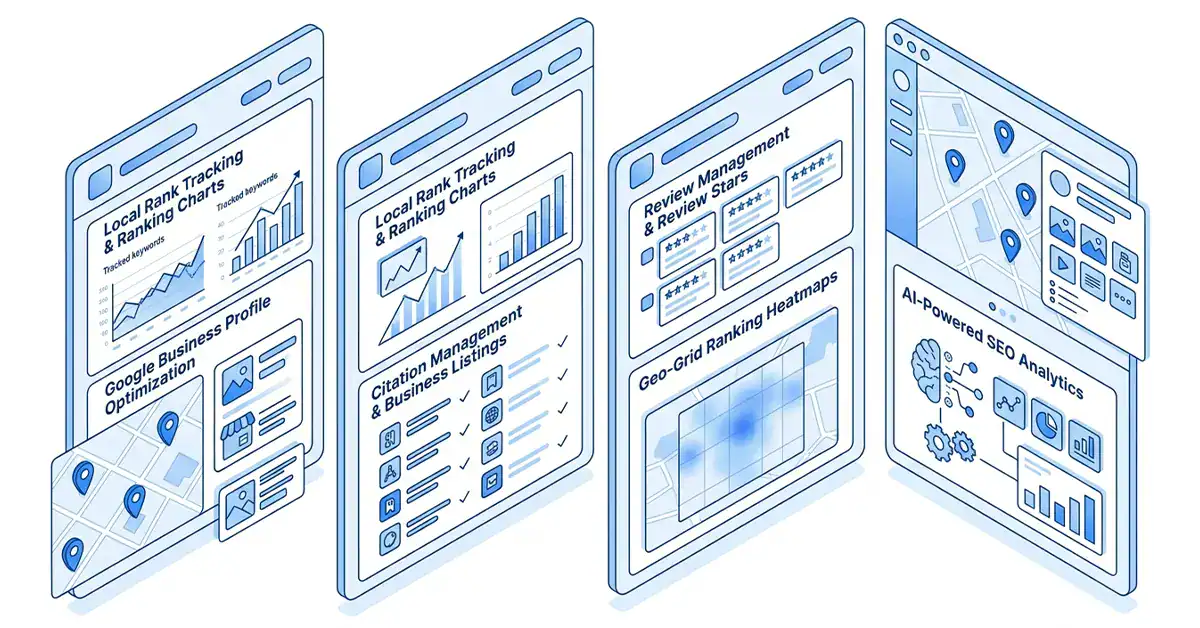
That’s what local SEO software is for. These tools track your rankings, keep your business listings accurate, manage your reviews, and show you exactly where your local visibility is falling short.
This guide is for small business owners, marketing agencies, freelancers, and in-house marketers who want to compare the best local SEO tools without wading through 40 browser tabs. We’ll walk through pricing, features, and honest pros and cons for each platform, plus a buying guide so you can match the right tool to your budget and goals.
[See Current Pricing →]
Quick Recommendation: Best Local SEO Tools at a Glance
Short on time? Here’s the fast version. Full reviews are below if you want the details.
| Software | Best For | Starting Price | Pros | Rating | CTA |
|---|---|---|---|---|---|
| BrightLocal | Agencies & multi-client SEO | $39/month | Client management, white-label reports, geo-grid tracking | 4.6/5 | Start Free Trial → |
| Moz Local | Simple listing distribution | $16/month per location | Easy setup, strong directory network, trusted brand | 4.2/5 | View Features → |
| Semrush Local | Businesses already using Semrush | $30/month per location | AI-powered GBP management, review automation, full SEO suite | 4.6/5 (Semrush overall) | Compare Plans → |
| Whitespark | Citation building & rank tracking | $25–$29/month | Deep citation research, excellent rank tracking visuals | 4.6/5 | Check Latest Offer → |
| Yext | Enterprise & multi-location brands | $199/year per location (list price) | Huge publisher network, enterprise support | 4.0/5 (avg. across sources) | Get Started → |
| Local Falcon | Geo-grid rank tracking specifically | $24.99/month | Best-in-class visual rank maps, competitor overlays | 4.5/5 | See Current Pricing → |
Pricing and features may change over time. Always verify the latest plans and pricing on each provider’s official website before making a purchase. Ratings are approximate averages based on publicly available review platforms, such as G2 and Capterra, and may change as new customer reviews are published.
Why You Can Trust This Guide
This guide was built through hands-on research, not guesswork. Here’s how it was put together:
- Research process: We reviewed each tool’s official pricing pages, product documentation, and independent buyer platforms like G2 and Capterra to confirm features and costs.
- Real-world context: Recommendations reflect how these tools are actually used by small businesses and agencies — not just marketing copy from the vendors themselves.
- Evaluation criteria: Every tool was assessed against the same checklist (below), so comparisons are apples-to-apples.
We are not claiming to have run every feature of every plan ourselves. Software pricing, plan names, and feature sets change frequently, sometimes month to month. Where a detail could have changed since this article was written, we recommend confirming it on the provider’s pricing page before you subscribe.
This article may contain affiliate links. If you sign up through one of them, we may earn a commission at no extra cost to you. This never affects which tools we recommend or how we rank them.
How We Chose These Tools
Not every “local SEO tool” deserves the label. Some just manage listings. Others track rankings. A few try to do everything. We evaluated each platform against these criteria:
- Ease of use — Can a non-technical business owner actually use it, or does it require an SEO specialist?
- Core features — Listing management, citation building, review management, rank tracking, and audits.
- Local SEO capabilities specifically — Not generic SEO features repackaged as “local.”
- Reporting — Can you generate a client-ready or owner-friendly report?
- Pricing transparency — Is the cost clear, or does it require a sales call?
- Customer support — Live chat, email response time, and documentation quality.
- AI features — AI-assisted review responses, AI-generated posts, and AI visibility tracking (increasingly relevant as more searches happen through AI Overviews and chat-based assistants).
- Integrations — Does it connect with Google Business Profile, Google Analytics, and other tools you already use?
- Value for money — Not just the cheapest option, but the best return for what you’re actually trying to accomplish.
Detailed Reviews
1. BrightLocal — Best for Agencies Managing Multiple Clients
Overview
BrightLocal is built specifically for agencies and consultants managing local SEO for multiple client locations. It combines rank tracking, citation auditing, Google Business Profile monitoring, and white-label reporting in one dashboard.
Key Features
- Local Rank Tracker with keyword tracking per location
- Local Search Grid — a geo-grid tool that shows how your Google Business Profile ranks across a map, not just from one point
- Citation audit and citation building (sold separately from core plans)
- White-label PDF and email reports for client delivery
- Reputation Manager for review monitoring and response (available on higher tiers)
Pros
- Purpose-built for agency workflows, with strong client management tools
- Local Search Grid is one of the better geo-grid rank trackers on the market
- Transparent, published pricing with no sales call required
- Free trial available
Cons
- Citation building is billed separately from the subscription, which can catch new users off guard
- Review management and reputation tools are limited to higher-priced tiers
- Less useful if you only need one specific feature, like rank tracking alone
Pricing
Plans generally start at around $39/month for the entry-level Track plan, while higher-tier plans add listing management, reputation management, and additional local SEO features. Pricing scales based on the number of business locations you manage, and annual billing typically provides a discount compared to monthly payments. Because BrightLocal periodically updates its plans, features, and pricing, always check the official pricing page for the latest details before subscribing.
Who Should Buy It
Agencies and freelance consultants managing local SEO for five or more client locations, especially if you need to hand clients branded reports.
Who Should Avoid It
Solo business owners with a single location who only need basic listing accuracy — the agency-focused features add cost you won’t use.
Final Verdict
BrightLocal is the strongest all-around choice if your business is managing local SEO for other businesses. For a single-location owner, it may be more tool than you need.
2. Moz Local — Best for Simple, Reliable Listing Management
Overview
Moz Local focuses on one job and does it well: getting your business information distributed accurately across major directories, search engines, and apps like Google Business Profile, Facebook, and Apple Maps.
Key Features
- Automated listing distribution across dozens of directories
- Duplicate listing detection and suppression
- Review monitoring, with response tools on higher tiers
- AI-assisted listing and review optimization add-ons
Pros
- Backed by Moz, a long-trusted name in SEO
- Simple setup — good for business owners without SEO experience
- Straightforward per-location pricing
Cons
- No built-in rank tracking or SEO audit tools — this is listings-only
- Pricing is per location, which adds up for multi-location brands
- Fewer advanced agency features compared to BrightLocal or Semrush
Pricing
Moz Local uses a per-location pricing model, with plans generally starting at around $20 per month, or about $16 per month when billed annually. The Lite plan includes core listing management and review monitoring, while higher-tier plans add features such as review responses, sentiment analysis, competitor insights, and social posting. Since Moz occasionally updates its pricing, plan names, and features, always check the official Moz Local pricing page for the most up-to-date information before subscribing.
Who Should Buy It
Single-location or small multi-location businesses that mainly need accurate, consistent listings without paying for a full SEO suite.
Who Should Avoid It
Agencies that need rank tracking, audits, and white-label client reporting — you’ll need to pair Moz Local with another tool for those.
Final Verdict
Moz Local is a dependable, no-frills option if listing accuracy is your main concern. It’s not trying to be everything, and that’s part of its appeal.
3. Semrush Local — Best for Businesses Already Using Semrush
Overview
Semrush Local is a set of tools inside the broader Semrush platform, covering Google Business Profile management, review management, listing distribution, and geo-grid rank tracking through the Map Rank Tracker.
Key Features
- AI-powered Google Business Profile management, including automated post creation and publishing. AI-assisted review responses with built-in Map Rank Tracker credits for geo-grid local ranking analysis. Listing management across dozens of online directories, with duplicate listing detection, user-suggested edit monitoring, and centralized review management from major review platforms. Seamless integration with Semrush’s complete SEO toolkit, giving you access to keyword research, site audits, backlink analysis, competitor research, and other advanced SEO tools when using a full Semrush subscription.
Pros
- Strong AI-assisted review and post management
- Ties directly into Semrush’s full SEO and competitive research tools
- Useful for businesses that want local SEO and broader organic SEO in one ecosystem
Cons
- Per-location pricing can get expensive for multi-location businesses
- Full value requires understanding (or paying for) the wider Semrush platform, not just the Local Toolkit
- Steeper learning curve for beginners compared to simpler, dedicated local SEO tools
Pricing
Semrush Local uses per-location pricing, with plans generally starting at around $30 per month for the base tier. Higher-tier plans, typically priced at around $60 per month per location, include more comprehensive listing management, review management and generation tools, and additional Map Rank Tracker credits for geo-grid ranking analysis. Custom pricing is also available for businesses managing multiple locations. Because Semrush periodically updates its plan names, features, and credit allocations, always check the official Semrush Local pricing page for the latest pricing and plan details before subscribing.
Who Should Buy It
Businesses or agencies that already use Semrush for organic SEO and want local SEO tools that plug directly into the same dashboard.
Who Should Avoid It
Budget-conscious single-location businesses — the per-location cost adds up quickly if local listings are your only need.
Final Verdict
Semrush Local makes the most sense as an add-on to an existing Semrush subscription, not as a standalone first purchase for a brand-new small business.
4. Whitespark — Best for Citation Building and Rank Tracking
Overview
Whitespark built its reputation on two things: finding high-quality local citation opportunities and visualizing exactly how your business ranks across a map through its Local Rank Tracker.
Key Features
- Local Citation Finder — identifies where competitors are listed so you can build matching citations
- Local Rank Tracker with geo-grid visuals covering a wide radius of map points
- Reputation Builder for review generation and monitoring
- Tools are sold individually rather than bundled, so you only pay for what you use
Pros
- Citation research is considered among the best in the category
- Rank tracker visuals are widely praised for clarity
- Modular pricing means you’re not forced into features you don’t need
Cons
- Buying multiple tools separately can cost more than an all-in-one platform
- No single unified dashboard the way BrightLocal or Semrush offer
- Best suited to users who already understand local SEO fundamentals
Pricing
Whitespark offers separate pricing for each of its tools, with the Local Rank Tracker generally starting at around $25–$29 per month when billed annually. Additional tools, such as citation building and reputation management, are priced separately, so your overall cost depends on the products you choose. Enterprise pricing is also available for agencies and businesses with larger requirements. Because Whitespark periodically updates its plans and pricing, always check the official Whitespark pricing page for the latest information before subscribing.
Who Should Buy It
SEO professionals and agencies that want the strongest citation-building research available, and are comfortable buying tools à la carte.
Who Should Avoid It
Business owners who want one simple dashboard and don’t want to manage multiple subscriptions.
Final Verdict
Whitespark is a specialist’s tool. If citations and precise rank tracking are your priority, it’s hard to beat. If you want simplicity, look elsewhere first.
5. Yext — Best for Enterprise and Multi-Location Brands
Overview
Yext is a large-scale listings and location-data platform built for brands managing dozens or hundreds of locations, with a knowledge-graph approach to keeping business data consistent everywhere it appears.
Key Features
- Listings distributed across 200+ publishers, directories, and voice assistants
- Location-specific landing pages (Yext Pages)
- Review monitoring and sentiment analysis
- Enterprise-grade analytics and API access
Pros
- Massive publisher network, useful for brands with a national or international footprint
- Strong for franchise and multi-location consistency
- Established enterprise support infrastructure
Cons
- Enterprise contracts may include annual price increases upon renewal, which can make long-term costs higher for some businesses. Some advanced features, such as competitive intelligence, may require separate paid add-ons instead of being included in the standard plans. Considerably more expensive than most other local SEO tools on this list, making it less suitable for small businesses with a single location.
Pricing
Yext’s published pricing has historically started at around $199 per year for its entry-level plan, with more advanced plans ranging from approximately $499 to $999 per year, depending on the features included. However, many mid-sized and enterprise organizations negotiate custom pricing based on factors such as the number of locations, contract length, and service requirements. Because Yext periodically updates its plans, pricing, and contract terms, request a custom quote or check the official Yext pricing page for the most up-to-date information before making a decision.
Who Should Buy It
Multi-location brands, franchises, or enterprises that need centralized control over location data across a large number of sites and directories.
Who Should Avoid It
Solo business owners and small local shops — the cost and complexity are built for a different scale of business.
Final Verdict
Yext is a serious enterprise tool. For most small businesses reading this guide, it’s overbuilt and overpriced relative to needs — but for a 50-location brand, it can be the right fit.
6. Local Falcon — Best for Geo-Grid Rank Tracking
Overview
Local Falcon is a specialized local rank tracking tool designed to show exactly how your Google Business Profile (GBP) performs across different areas of your service region. Instead of displaying a single ranking for one location, it uses geo-grid heatmaps to visualize your rankings at multiple points on a map, helping you understand how your local visibility changes from one neighborhood to another. This provides a far more accurate picture of your Google Maps performance than a single ranking position alone.
Key Features
- Geo-grid heatmaps with competitor overlays, Apple Maps rank tracking, and shareable public reports for clients and stakeholders.
- Credit-based scanning system, allowing you to pay based on the number of map points and scans you run.
- Competitor ranking comparisons at every grid point, making it easy to identify where competitors outperform your business.
- AI Search Visibility tracking to monitor how your business appears in AI-powered search experiences and answer engines.
Pros
- Considered one of the clearest, most visual rank-tracking tools available
- Useful for proving local SEO progress to clients or stakeholders
- Flexible credit system if your tracking needs are modest
Cons
- Focused solely on rank tracking—it doesn’t include built-in tools for review management, Google Business Profile posting, or profile optimization.
- Unused credits don’t roll over to the next billing cycle, and larger geo-grid scans can consume a significant number of credits in a single session.
- Costs can increase quickly for agencies or SEO professionals running frequent scans across multiple clients, locations, and keywords.
Pricing
Local Falcon uses a credit-based pricing model rather than a fixed monthly fee. Plans generally start at around $24.99 per month and can go up to approximately $199.99 per month, depending on the number of credits included. Each credit represents a single point in a geo-grid scan, so the number of credits you need depends on your grid size and how frequently you run scans. Annual billing is typically available at a discounted rate. Because pricing, credit packages, and plan details may change over time, always check Local Falcon‘s official pricing page or pricing calculator before choosing a plan.
Who Should Buy It
Businesses and agencies that specifically want the clearest possible picture of Google Maps visibility across different areas of a city or service region.
Who Should Avoid It
Anyone wanting an all-in-one platform — you’ll likely need to pair Local Falcon with a listings or review management tool.
Final Verdict
For pure rank-tracking clarity, Local Falcon is hard to beat. Just budget for credits realistically if you’re scanning often or across many locations.
Full Comparison Table
| Feature | BrightLocal | Moz Local | Semrush Local | Whitespark | Yext | Local Falcon |
|---|---|---|---|---|---|---|
| Best for | Agencies | Simple listings | Semrush users | Citations & tracking | Enterprise brands | Geo-grid tracking |
| Starting price | ~$39/mo | ~$16–20/mo per location | ~$30/mo per location | ~$25–29/mo | ~$199/yr (list) | ~$24.99/mo (credits) |
| Rank tracking | Yes (geo-grid) | No | Yes (geo-grid) | Yes (geo-grid) | Limited | Yes (geo-grid, specialty) |
| Listing management | Yes | Yes (core focus) | Yes | Add-on tool | Yes (core focus) | No |
| Review management | Higher tiers | Yes | Yes, with AI replies | Separate tool | Yes | No |
| White-label reporting | Yes | Limited | Yes (agency plans) | Limited | Enterprise plans | Yes (shareable reports) |
| AI features | Limited | AI listing/review add-ons | Strong (AI agent, AI replies) | Limited | Limited | AI visibility tracking |
| Best fit business size | Small–mid agencies | Solo to small multi-location | Small to mid, Semrush users | SEO specialists, agencies | Enterprise, franchises | Any size, tracking-focused |
Always confirm current pricing and feature availability directly with each provider, since plans and costs change over time.
Buying Guide: How to Choose the Right Local SEO Tool
How to Choose
Start with the problem you actually have, not the tool with the most features. Ask yourself:
- Is my listing information (name, address, phone number) inconsistent across the web? Start with a listings-focused tool like Moz Local.
- Do I not know how I actually rank in Google Maps across my service area? Prioritize a rank tracker like Local Falcon, BrightLocal’s Local Search Grid, or Whitespark.
- Am I managing SEO for multiple clients? Look at BrightLocal or Semrush Local for the reporting and multi-client structure.
- Do I manage many business locations under one brand? Yext or Semrush Local’s per-location tools are built for that scale.
Common Mistakes to Avoid
- Buying an enterprise tool for a single location. Yext-level platforms are overkill for a solo shop.
- Ignoring per-location pricing math. A $20/month tool becomes $200/month fast if you manage 10 locations — do the multiplication before you commit.
- Assuming a listings tool will also track rankings, or vice versa. Many tools do one job well, not both.
- Skipping the free trial. Most of these platforms offer one — use it before committing to an annual plan.
Features to Prioritize
For most small businesses, prioritize in this order:
- Accurate, automated listing distribution
- Google Business Profile monitoring and review management
- Local rank tracking (ideally geo-grid, not just a single ranking number)
- Reporting you can actually understand without an SEO background
Budget Recommendations
- Under $50/month: A single-purpose tool like Moz Local or Whitespark’s rank tracker
- $50–150/month: BrightLocal or Semrush Local for a fuller feature set at one or a few locations
- $150+/month or per-location pricing: Semrush Local at scale, or Yext for multi-location enterprise needs
Frequently Asked Questions
What is the best local SEO tool for small business? There isn’t a single “best” tool for every business — it depends on whether your priority is listings accuracy, rank tracking, review management, or agency-style reporting. BrightLocal and Semrush Local offer the broadest feature sets, while Moz Local and Whitespark focus on doing fewer things very well.
How much does local SEO software typically cost? Pricing varies widely, from around $16–20/month for basic listing tools to $200+/month for enterprise multi-location platforms. Many tools also price per location, so costs scale with the number of business locations you manage.
Do I need a local SEO tool if I only have one business location? Not always. A single-location business can often manage Google Business Profile manually for free. A tool becomes more valuable once you want rank tracking across different neighborhoods, automated review management, or you’re not confident your listings are accurate everywhere.
What’s the difference between a citation tool and a rank tracking tool? A citation tool (like Whitespark’s Citation Finder) helps you find and build consistent business listings across directories. A rank tracking tool (like Local Falcon) shows you where you actually rank in local search results, often visualized across a geographic grid.
Is Google Business Profile enough on its own? Google Business Profile is free and essential, but it doesn’t show you how you rank across different parts of your service area, doesn’t audit your citations, and doesn’t automate review responses at scale. Most of the tools in this guide are built to extend what Google Business Profile can’t do alone.
What is geo-grid rank tracking? Geo-grid rank tracking scans your Google Maps ranking from multiple points across a map, rather than just one location. This shows you how visibility changes street by street or neighborhood by neighborhood, which is far more useful than a single ranking number.
Are these tools worth it for a brand-new small business? For a brand-new business, start with free tools (Google Business Profile) and revisit paid software once you have a baseline of reviews and listings in place. A rank tracker becomes more useful once you have something to track.
Can I use more than one of these tools at the same time? Yes, and many agencies do. It’s common to pair a listings tool (Moz Local) with a dedicated rank tracker (Local Falcon or Whitespark) rather than relying on one platform for everything.
Do these tools guarantee higher rankings? No reputable local SEO tool can guarantee rankings. Google’s algorithm considers many factors, and rankings can change for reasons outside any tool’s control. These platforms help you track, manage, and improve the factors within your control.
How do I know if a local SEO tool is actually working? Track rank tracking data, review volume, and Google Business Profile insights (calls, direction requests, website clicks) before and after implementation, over a period of at least a few months, since local SEO changes take time.
Should I choose based on price or features? Neither in isolation. Match the tool to the specific problem you’re solving first, then compare pricing among the tools that actually solve that problem.
Is it better to buy an all-in-one tool or several specialized tools? All-in-one platforms (BrightLocal, Semrush Local) reduce the number of subscriptions you manage. Specialized tools (Whitespark, Local Falcon) often go deeper on a single function. The right choice depends on whether you value simplicity or best-in-class depth for one task.
Final Recommendation
There’s no universal winner here — the right tool depends on your business size, budget, and what problem you’re actually trying to solve.
- Best Overall: BrightLocal — the strongest balance of features, reporting, and price for most small businesses and agencies.
- Best Budget: Moz Local — simple, affordable, and effective for listing accuracy alone.
- Best for Agencies: BrightLocal or Semrush Local, depending on whether you want a dedicated local SEO tool or one folded into a broader SEO platform.
- Best for Local Businesses (single location): Moz Local for listings, paired with Local Falcon or Whitespark if you also want rank tracking.
- Best AI Tool: Semrush Local, for its AI-powered Google Business Profile management and automated review replies.
Ready to Improve Your Local Search Visibility?
Local SEO isn’t a one-time fix — it’s an ongoing process of keeping your listings accurate, your reviews strong, and your rankings visible across the areas you actually serve. The tools above won’t replace good local SEO fundamentals, but they’ll save you hours of manual work and show you where to focus next.
Start with the problem you’re actually facing today. If that’s inconsistent listings, start there. If it’s not knowing where you rank, start with a rank tracker. You can always add tools as your business grows.
[Compare Plans →]
Disclosure: This article may contain affiliate links. Pricing, features, and plan names for the software mentioned above change periodically — always verify current details on each provider’s official website before subscribing.