Book Appointment Now

How to Create a Google Business Profile to Boost Local SEO
Overview of Google Business Profile
What is a Google Business Profile?
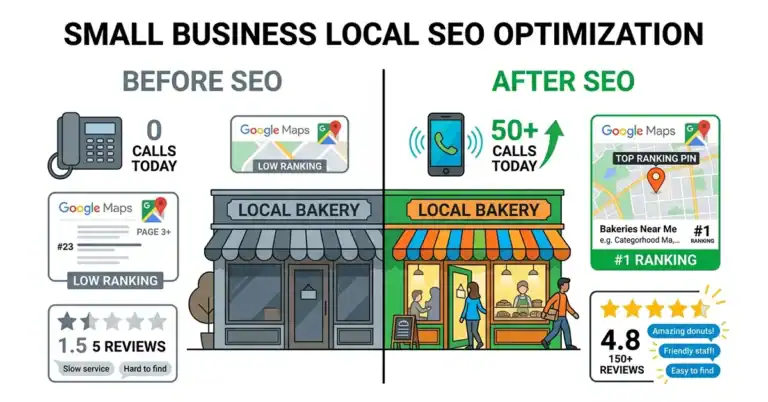
A Google Business Profile (formerly known as Google My Business) is an essential online presence for any business looking to thrive in today’s digital landscape. It’s a free tool that enables business owners to manage their online information across Google, including search results and Google Maps. When you set up a Google Business Profile, you create a dedicated listing showcasing important details about your business, such as your location, hours of operation, contact details, and even photos to attract potential customers.
For example, when I first launched my local coffee shop, having a Google Business Profile was a game-changer. I remember receiving an influx of customers who found us while searching for “coffee shops near me.” This is the power of getting noticed online!
Benefits of Having a Google Business Profile
Here’s why every business, regardless of its size, should have a Google Business Profile:
- Increased Visibility: Your business appears on Google Maps and in local search results, making it easier for potential customers to find you. Picture this: Someone scrolling through Google Maps at 8 AM looking for coffee—they see my shop listed with all the details, including reviews.
- Better Customer Engagement: A Google Business Profile allows you to interact with customers directly, answering questions and responding to reviews. This engagement has helped me improve service by addressing concerns raised in reviews and building trust with my audience.
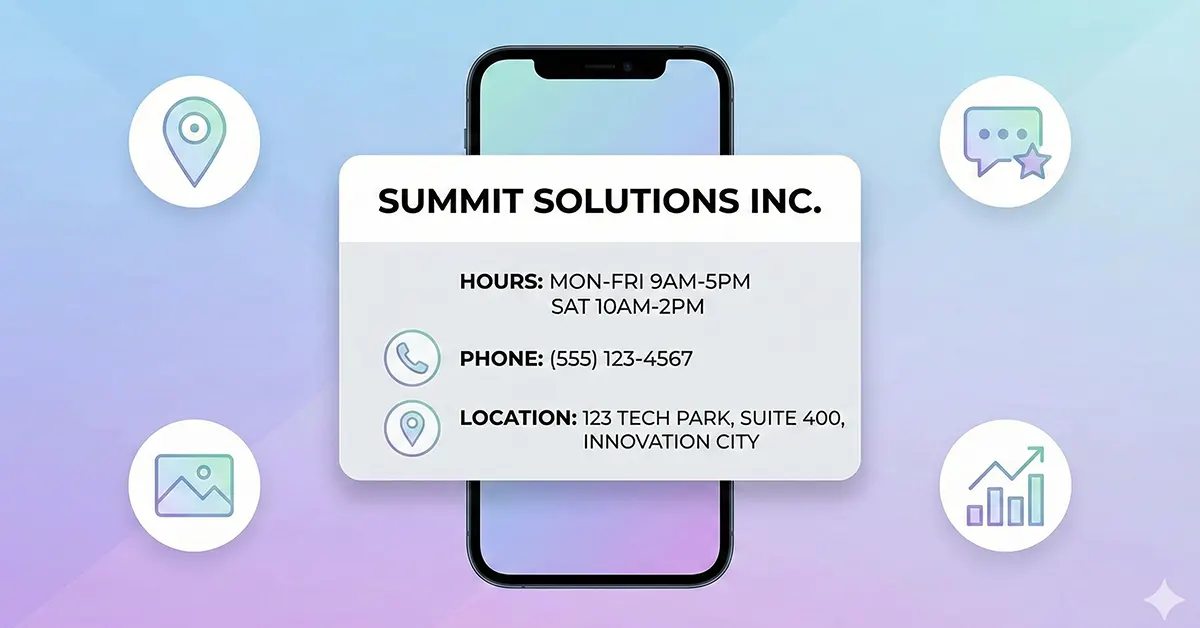
- Essential Business Information at a Glance: Your profile displays key information in a concise manner. Customers can see your hours, address, and website link all in one spot. This simplicity is crucial; it reduces the chances of customers getting frustrated searching for basic details.
- Showcase What Makes You Unique: You can highlight special attributes like curbside pickup and delivery options. When I added that we had outdoor seating and specialty seasonal drinks, it drew in more curious customers.
- Insights and Analytics: Google provides valuable insights, allowing you to track how customers find your business and what actions they take once they do. For instance, I learned that most of my profile views were from people clicking through from Google Maps.
- Custom Posts and Updates: You can share news, offers, and upcoming events directly on your profile. One of my favorite strategies is posting about limited-time offers, which often lead to a spike in foot traffic.
By having a well-optimized Google Business Profile, you not only enhance your visibility but also build credibility and trust among potential customers.
In the following sections, we will dive deeper into how to set up and optimize your Google Business Profile, ensuring that you’re equipped to take full advantage of this powerful marketing tool.
Creating a Google Business Profile
As we delve into creating your Google Business Profile, let’s start with the very first steps. If you’re eager to boost your online presence like I was when I started my business journey, you’ll find that the process is straightforward and rewarding!
Setting Up a Google Account
Before you can create or claim your business profile, you’ll need to set up a Google Account if you don’t already have one. This account will be your gateway to managing all things Google, including your business profile. Here’s how to do it:
- Visit Google Account Creation Page: Go to the Google Account sign-up page.
- Fill in Your Information: Enter your first and last name, choose a unique username (this becomes your Gmail address), and set a strong password. Remember, a secure password helps protect your business.
- Complete the Form: Fill in the rest of the required information, including your phone number and recovery email (optional but recommended for security).
- Agree to Terms: Read through Google’s Privacy Policy and Terms of Service, then click “I agree” to create your account.
- Verification: You may need to verify your phone number or email address. Following the prompts is essential to complete the setup.
Once your Google Account is created, you’re all set to proceed to the next step—claiming or adding your business!
Claiming or Adding Your Business
Now that you have a Google Account, it’s time to either claim your existing business listing or create a new one if your business isn’t already represented. Here’s how to do it:
- Search for Your Business: Go to Google Maps or Google search and type your business name. If it pops up, you’ll just need to claim it. If not, proceed to add a new listing.
- Claiming Existing Business:
- Click on your business name from the search results.
- Select “Claim this Business.”
- Follow the prompts to verify your ownership. This usually involves receiving a verification code via phone or mail.
- Adding a New Business:
- Go to the Google Business Profile homepage.
- Click on the “Manage now” button.
- Enter your business name and category; make sure the category is accurate since this helps customers find you.
- Fill out your address or service area and contact information.
- Finally, follow the verification steps as mentioned earlier.
I vividly remember the excitement I felt when I claimed my shop’s profile. It felt like a door opening to new opportunities, allowing customers to discover my coffee shop more easily.
By completing these steps, you’ll successfully set up your Google Business Profile, paving the way for improved visibility and customer engagement. In the next section, we’ll explore how to optimize your profile to truly shine online!

Optimizing Your Google Business Profile
Now that you’ve successfully created your Google Business Profile, it’s time to take it to the next level by optimizing it. Think of optimization as polishing a gem until it sparkles; it draws potential customers in and keeps them engaged. Here’s how to maximize the potential of your profile!
Adding Accurate Business Information
First and foremost, accuracy is crucial. When I first set up my coffee shop profile, I realized that even minor discrepancies could confuse customers. Here’s what to focus on:
- Business Name: Use your official business name without any extra keywords or terms.
- Location: Ensure your address is entered correctly so customers can find you without hassle.
- Hours of Operation: Be honest about when you’re open. If you’re always working late, add special hours for holidays or events. I learned the hard way that not updating the hours during the holidays caused missed customers!
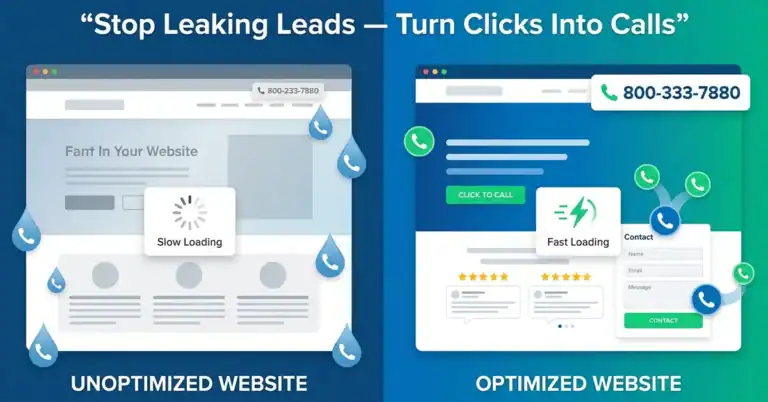
- Phone Number and Website: Include a direct line for inquiries and link your website—it makes it easier for customers to learn about your offerings.
Taking a little time to double-check this information can lead to more visits and less frustration for your customers.
Uploading High-Quality Photos
Next, let’s talk about visuals. Pictures speak volumes, and in the world of business, they can make or break a potential sale. When I added high-quality photos of my shop’s interior and our delicious pastries, I noticed a significant uptick in foot traffic. Here’s how to make your photos stand out:
- Showcase Your Products and Services: Include photos of your best-selling items or services. For instance, I often upload photos of seasonal drinks and fresh pastries.
- Capture Your Space: Take photos that highlight the ambiance of your business. A cozy shot of your seating area or your team in action can create a warm invitation for customers.
- Maintain Quality: Ensure your images are bright, clear, and well-composed. Avoid blurry pictures; they can detract from the professionalism of your profile.
By uploading fresh and appealing visuals, you can connect with potential customers on a much deeper level.
Encouraging Customer Reviews
Finally, let’s dive into the magic of customer reviews. When I first opened my coffee shop, I realized the significance of feedback. Reviews build trust and credibility, which are invaluable in attracting new customers. Here are some strategies to encourage reviews:
- Make It Easy: After a purchase, send a follow-up email with a direct link to leave a review. The easier you make it, the more likely customers are to share their experiences.
- Engage with Customers: Ask satisfied customers in-store if they would mind leaving a review. A personalized touch can go a long way!
- Respond to Reviews: Show appreciation for positive reviews and address any negative ones with professionalism. A well-handled response can turn a negative experience into a positive impression.
I remember how excited I was after receiving my first glowing review; it felt like a validation of all the hard work I had put in!
Optimizing your Google Business Profile is a continuous process, but with these strategies, you’ll ensure that your business stands out and connects with the community effectively. In the next section, we’ll discuss how to manage and keep your profile updated, keeping the momentum going!
Managing and Updating Your Profile
Once your Google Business Profile is optimized, it’s essential to manage and update it regularly. This not only keeps your information accurate but also maintains customer engagement. Let’s explore the key aspects of managing your profile effectively.
Responding to Reviews
One of the most critical elements of managing your Google Business Profile is engaging with your customers through reviews. As I learned from operating my coffee shop, responses to reviews can significantly impact your business’s reputation. Here’s how to approach it:
- Be Timely: Responding to reviews promptly shows that you value customer feedback. I make it a habit to check reviews daily, so customers feel appreciated right away.
- Acknowledge Positive Feedback: When customers rave about their experience, thank them! A simple “Thank you for loving our cappuccinos!” can go a long way in building rapport.
- Address Negative Reviews Professionally: If a customer leaves a negative review, take the opportunity to apologize and offer to make it right. I once received feedback about long wait times during peak hours. Instead of getting defensive, I thanked them for their patience and noted that we were working on improving service.
Engaging thoughtfully with customers through reviews can foster a loyal community and encourage new patrons to visit.
Posting Updates and Offers
Another way to keep your Google Business Profile fresh and engaging is by posting updates and promotions. When I have a seasonal drink or a special event, I make sure to post about it. Here’s how you can effectively utilize posts:
- Highlight Limited-Time Offers: Create buzz by promoting special discounts or seasonal items. For example, I once ran a “Pumpkin Spice Happy Hour” during fall, which attracted quite a crowd!
- Share News: Whether it’s introducing a new menu item or announcing extended hours, sharing timely updates keeps customers informed and engaged.
- Visual Appeal: Make your posts visually appealing by including high-quality images. A post about our new dessert arrived with a mouth-watering photo, which got shared by many in the community!
By consistently posting updates, you’ll engage your audience and encourage them to check back frequently.
Using Insights to Track Performance
Lastly, don’t forget about the powerful insights available through your Google Business Profile. These analytics can help you understand how customers interact with your profile. Here’s what to focus on:
- Profile Views: Track how many people are viewing your profile to gauge interest. It’s fascinating to see spikes in views during significant promotions!
- Customer Actions: Analyze what actions people take after viewing your profile—whether it’s clicking to call, requesting directions, or visiting your website. This data lets you know how effective your profile is.
- Demographic Insights: Google provides information about who’s viewing your profile, such as age and gender. Understanding your audience can help tailor future marketing strategies.
I remember my excitement when I noticed that the majority of my profile views came from mobile users. This insight led me to focus more on mobile-friendly content!
Managing and updating your Google Business Profile isn’t just about maintaining accuracy; it’s about engaging with your community and being proactive. In our next section, we’ll learn how to handle any issues or challenges that may arise.

Dealing with Issues and Challenges
As with any business endeavor, managing your Google Business Profile comes with its own set of challenges. It’s essential to be prepared to handle issues smoothly and professionally. Let’s dive into some common problems and effective strategies for overcoming them.
Handling Incorrect Information
One of the most frustrating issues can arise from incorrect information appearing on your business profile. When I first opened my coffee shop, I found that there was outdated information about my hours that had persisted from a previous tenant in the location. Here’s how I tackled the problem:
- Regular Checks: Make it a habit to periodically review your Google Business Profile. Regularly checking ensures that any changes, like alterations in operating hours or menu updates, are reflected accurately.
- Request Edits: If you notice incorrect information, you can quickly suggest edits. Click on “Suggest an edit” on your profile and fill in the correct details. Google reviews these suggestions, so it might take some time to update.
- Customer Communication: If customers report incorrect information—like wrong hours or an outdated menu—respond promptly. I once received a call about closed hours during a holiday, and I quickly updated my profile in real-time while thanking them for their help!
Mistakes happen, but being proactive about them not only resolves issues faster but also builds trust with your customers.
Managing Negative Reviews
Negative reviews are an unfortunate but common reality for businesses. It can feel disheartening to read them, especially when you’ve poured your heart and soul into your work. However, how you respond can make all the difference. Here’s how I learned to navigate this difficult terrain:
- Stay Calm and Professional: It’s natural to feel defensive, but maintaining professionalism is key. When I received a negative review about a poor experience with a barista, I took a deep breath and focused on the constructive feedback.
- Respond Promptly: A quick response shows that you care about customer feedback. I always aim to reply within 24 hours. In my case, I thanked the reviewer for their input and offered to rectify their experience by inviting them back for a complimentary drink.
- Learn and Improve: Use negative reviews as an opportunity for growth. I once noticed a pattern in feedback about long wait times during busy days. This prompted me to assess the staffing during peak hours, resulting in improved service overall.
- Encourage Positive Reviews: Balance out negative feedback by actively soliciting happy customers for reviews. I often ask satisfied patrons if they would share their experience online, and this helps boost my overall rating.
Remember that while negative reviews can sting, they also present valuable opportunities for improvement and customer engagement.
By being proactive about correcting incorrect information and managing negative reviews effectively, your business can overcome challenges and continue to thrive. In the next section, we’ll explore how to integrate your Google Business Profile with other tools for enhanced performance and visibility!
Integrating Google Business Profile with Other Tools
Now that you’ve mastered managing your Google Business Profile and addressing challenges, let’s discuss how to take things to the next level by integrating your profile with other powerful tools. This integration not only saves time but also enhances your visibility and marketing efforts. Two valuable tools to consider are Google Ads and the Google My Business app for mobile management.
Connecting with Google Ads
Connecting your Google Business Profile with Google Ads is an excellent way to amplify your reach and drive targeted traffic to your business. When I started running ads to promote my coffee shop, I was amazed by how effectively I could attract new customers. Here’s how you can make the connection:
- Seamless Integration: When you create ads, Google will often suggest features that pull information from your Business Profile. You can utilize your address, phone number, and business hours directly in your ads, ensuring consistency and clarity.
- Ad Extensions: Take advantage of ad extensions to enhance your ads. For instance, location extensions allow potential customers to see your business address alongside your ad. I noticed a considerable increase in foot traffic when I added location extensions to my ads.
- Target Local Customers: Use location targeting to ensure your ads reach people searching for businesses like yours nearby. When I switched to local targeting, I saw a significant rise in customer visits, proving that location-specific ads can have a dramatic impact.
By connecting your Google Business Profile with Google Ads, you can create a more cohesive marketing strategy that efficiently draws customers through the door.
Using Google My Business App for Mobile Management
In today’s fast-paced world, managing your business on the go is a must. The Google My Business app makes it incredibly convenient to handle your profile right from your smartphone. When I first downloaded the app, I was pleasantly surprised by how user-friendly and effective it was. Here are some features that I found invaluable:
- Real-Time Updates: With the app, you can update your business details anytime, anywhere. Whether you want to change your hours for a holiday or add a new product, you can do so with just a few taps.
- Respond to Customers Instantly: The app allows you to respond to reviews and messages on the fly. I remember being at a community event and receiving a glowing review; I quickly sent a thank-you response, and it really made an impression.
- Monitoring Insights: The app provides insights on how customers find and interact with your profile. I love checking my stats while I’m on my morning coffee run, allowing me to adjust my marketing strategy in real time.
- Post Updates with Ease: You can create and publish posts about promotions, events, or news directly from the app. I often share last-minute specials, and using the app makes it so much easier to do that.
Integrating your Google Business Profile with tools like Google Ads and utilizing the mobile management app can significantly enhance your marketing efforts and customer engagement.
In our next section, we’ll explore advanced tips to help you maximize your visibility, ensuring your business stands out in today’s competitive landscape!
Advanced Tips for Maximizing Visibility
As we look to elevate your Google Business Profile, there are advanced strategies you can implement to maximize your visibility and ensure that your business captures the attention it deserves. Let’s explore some robust techniques, including utilizing posts for engagement and implementing local SEO strategies.
Utilizing Posts for Engagement
One of the most underutilized features of the Google Business Profile is the ability to create posts. These posts allow you to share news, promotions, or events directly on your profile, offering a dynamic way to engage your customers. Here’s how you can make the most of this feature:
- Regular Updates: Aim to post at least once a week. Share about new menu items, special discounts, or upcoming events. I remember launching a weekend brunch and promoting it through a post; it significantly increased attendance!
- Use Eye-Catching Visuals: Include high-quality images or videos in your posts. For example, I often share mouth-watering photos of our new pastries, which not only grabs attention but also showcases what we offer.
- Call to Action: Always include a clear call to action (CTA) in your posts. Whether it’s “Book a Table Now” or “Get 20% Off This Weekend,” CTAs prompt your audience to take immediate action.
- Keep It Short and Sweet: People browse quickly, so concise posts that get straight to the point work best. Aim for engaging language that reflects your brand’s personality.
Utilizing posts effectively can keep your customers in the loop and encourage them to engage with your business more consistently.
Implementing Local SEO Strategies
Next on our journey to maximize visibility is implementing effective local SEO strategies. Local SEO is the backbone of getting your business found by customers in your area; it helps you rank higher in local search results. Here are some strategies that I’ve found beneficial:
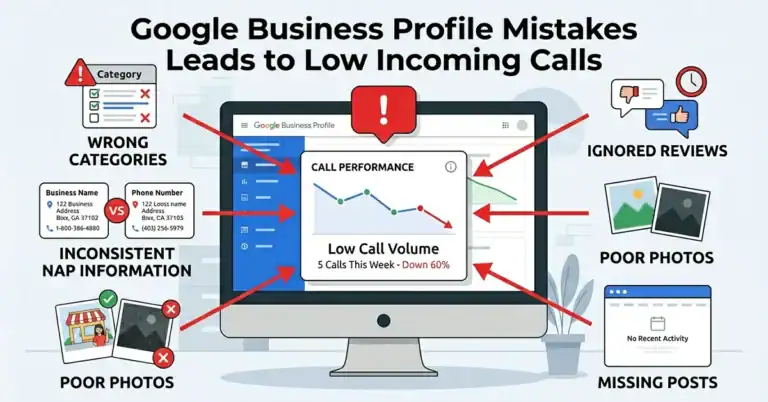
- Optimize Business Information: Ensure that your name, address, phone number, and business hours are consistent across all platforms, including your website and social media. For example, I’ve seen discrepancies lead to potential customers getting frustrated and not visiting.
- Keywords Matter: Identify relevant keywords that potential customers might use when searching for your products or services. Use these keywords in your business description, posts, and FAQs. When I incorporated “best coffee in [Your City]” into my description, I noticed a rise in local searches.
- Create Location-Based Content: If you have a blog, create valuable content focused on your local audience. Write about local events, highlight collaborations with other local businesses, or share your thoughts on community happenings. This not only builds authority but also strengthens community ties.
- Geo-Tagging Photos: When you upload photos, make sure to include geo-tags. This small extra step can help your images show up in local searches, further increasing visibility.
By integrating these local SEO strategies, your business becomes more discoverable, drawing in customers who are searching for what you offer in your area.
With these advanced tips, you can greatly enhance your visibility and engagement on Google Business Profile. In the next section, we’ll discuss the importance of consistency across online platforms to further strengthen your brand’s presence!

Ensuring Consistency Across Online Platforms
Now that you have established a strong Google Business Profile and implemented advanced strategies to maximize visibility, it’s crucial to ensure that your information is consistent across all online platforms. Consistency not only builds trust with your customers but also improves your business’s performance in search engine rankings. Let’s explore how to sync your information with your website and align it with your social media profiles.
Syncing Information with Your Website
Your website is often the central hub of your online presence, and it’s essential that the information there aligns with your Google Business Profile. Here are steps to achieve this synchronization:
- Consistent Details: Make sure that your business name, address, and phone number (NAP) are identical on both your website and Google Business Profile. For instance, when I updated my blog to include my shop’s new phone number, I immediately mirrored that change on my Google listing. This simple step prevents customer confusion.
- Regular Updates: Whenever you make changes—like updating your operating hours or launching a new menu—ensure these changes are reflected on your website as well. I’ve found that if I don’t update my website quickly, potential customers might show up during unexpected hours.
- Embedded Google Map: Incorporating a Google Map on your website not only provides accurate location information but also can improve your local SEO. Just make sure it’s embedded with the same address listed on your profile!
- SEO Practices: Optimize your website with relevant keywords and local search terms that align with what you use in your Google Business Profile. This harmonization helps search engines connect the dots, improving your overall visibility.
By ensuring consistency between your website and Google Business Profile, you create a seamless experience for customers, which can enhance their trust and satisfaction.
Aligning with Social Media Profiles
Social media is a critical component for connecting with your audience, and it’s essential that your Google Business Profile aligns with your profiles on platforms like Facebook, Instagram, and Twitter. Here’s how to achieve alignment:
- Uniform Branding: Ensure that your business name, logo, and contact information are consistent across all platforms. For example, if I’ve made updates to my logo for my coffee shop, I promptly update it everywhere to maintain a cohesive brand identity.
- Cross-Promotion: Use your social media platforms to direct followers to your Google Business Profile. I often post links to my profile on Instagram stories, encouraging customers to check our latest offerings and reviews directly.
- Share the Same Content: Regularly share promotions, updates, and events across different platforms, but customize the message for each one. While I might share news of a new product on my Facebook page, I’ll tailor it differently for my Instagram audience while keeping the core message consistent.
- Respond to Customers: Ensure you maintain the same tone and level of engagement across platforms when responding to comments and messages. Prompt responses create a sense of reliability, as I learned from fostering community engagement through timely replies on both Google and social media.
By aligning your Google Business Profile with your website and social media profiles, you reinforce your brand and ensure customers receive accurate information. Consistency builds trust and helps you establish a strong online presence across various platforms.
In our next section, we will discuss monitoring and analyzing performance, which is crucial for understanding the effectiveness of all your efforts!
Monitoring and Analyzing Performance
As we wrap up our journey of optimizing your Google Business Profile, it’s vital to focus on monitoring and analyzing performance. Understanding how your profile is performing allows you to make informed decisions that can enhance your visibility and engagement. Let’s delve into understanding key metrics and insights, and how to utilize them for data-driven decision-making.
Understanding Metrics and Insights
Google Business Profile provides valuable insights that can help paint a picture of how potential customers are interacting with your business. Here are some key metrics to keep an eye on:
- Profile Views: This metric shows you how many people have viewed your Google Business Profile. When I first noticed a spike in views after optimizing my profile and posting regularly, it was clear that my efforts were paying off!
- Customer Actions: This tells you what actions users take after viewing your profile, such as requests for directions, visits to your website, or phone calls. Tracking this data helped me realize that many customers were finding me physically, leading me to focus more on in-store promotions.
- Search Queries: Understanding what search terms people are using to find your business is crucial. This insight can guide you to adjust your business descriptions and keywords in your posts. For instance, if I saw that customers were searching “local coffee shop,” I’d emphasize that term more in my content.
- Photo Views: This metric reflects how many times your photos have been viewed. After seeing how well-received my images were, I realized my visual marketing strategy was working and decided to invest more time into high-quality photos.
Regularly checking these metrics enables you to gauge your profile’s performance and determine areas for improvement.
Making Data-Driven Decisions
Once you have gathered insights about your business performance, the next step is making data-driven decisions. Here’s how to leverage this information effectively:
- Set Goals: Identify specific goals based on your insights. For example, if you notice that many users are looking for a particular menu item but aren’t ordering it online, consider promoting it more prominently in your posts or on your website.
- Adjust Strategies: If you find that a certain type of post generates more engagement than others, replicate that success. I once had an overwhelmingly positive response to a behind-the-scenes look at my coffee-making process, prompting me to share similar content more frequently.
- Experiment and Track Changes: Use A/B testing to try different strategies and see how they perform. I once tested two different calls to action in a promotion; one encouraged visitors to book tables online, while the other promoted walk-ins, and I monitored which drew more customer traffic.
- Feedback Loop: Use customer feedback in conjunction with your metrics. If a customer suggests a new menu item and you see a spike in searches for it, consider integrating it into your offerings. Customer insights are invaluable for driving your business forward.
Through careful monitoring and analysis of your Google Business Profile, you can identify what works, make informed changes, and continually improve how you connect with your audience.
In our next section, we’ll explore how to leverage your Google Business Profile for overall business growth, transforming insights into actionable success!
If you want to learn more about how to get more reviews for a local business on Google, check out our full guide with actionable tips and strategies to boost your local reputation.