Book Appointment Now

Google Business Profile Optimization Checklist
Table of Contents
- Optimize Your Google Business Profile
- Claim or Create Your Google Business Profile
- Verify Your Google Business Profile
- Optimize Business Information for Local Search
- Add Compelling Photos, Videos, and Virtual Tours
- Encourage and Manage Customer Reviews
- Utilize Google Posts and Special Offers
- Advanced Google Business Profile Optimization Tactics
- Understanding Business Types: Storefront vs. Service Area Businesses
- Leveraging Voice Search Optimization
- Key Metrics for Google Business Profile Success
- Boost Search Visibility with Local Business Schema
- The Power of a Fully Optimized Google Business Profile
- Frequently Asked Questions About Google Business Profile Optimization
Optimize Your Google Business Profile
Boosting your business’s online visibility is crucial in today’s digital landscape. Your Google Business Profile, formerly known as Google My Business, is a powerful tool for attracting local customers.
This comprehensive guide provides a detailed checklist to optimize your profile, ensuring you appear prominently in local search results and drive more customer engagement. A well-optimized profile means more calls, more visits, and ultimately, more business.
Let’s get started on enhancing your online presence and mastering local marketing with your business listing on Google Maps.
Claim or Create Your Google Business Profile
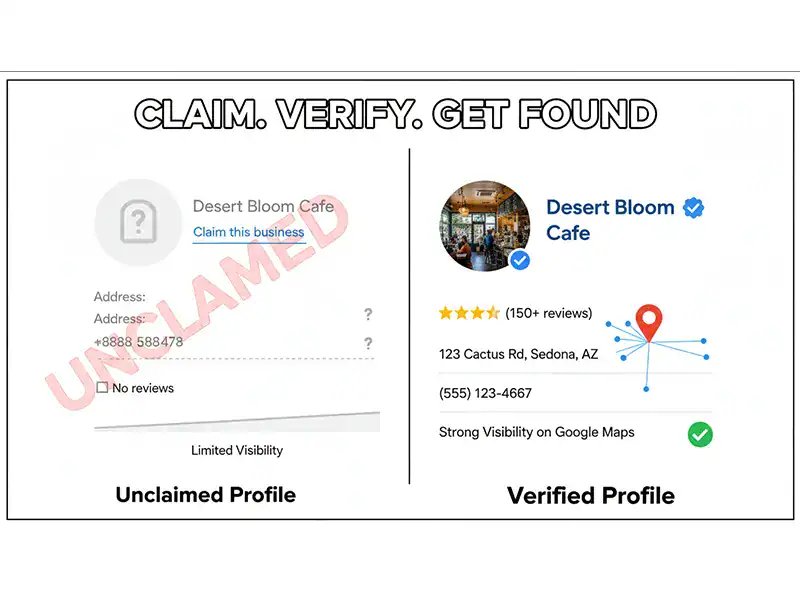
The crucial first step for local SEO success is establishing your presence on Google. You must claim or create your Google Business Profile, formerly known as Google My Business. This is essential for any local business aiming to appear prominently in Google Maps and local search results, driving vital customer engagement.
Before creating a new business listing, always search for your business name on Google. Check if a profile already exists for your storefront business or service area business. If it does, you can claim it; if not, you will create a new one. This ensures you avoid duplicate online listings and maintain a consistent knowledge panel.
It’s vital to ensure your business qualifies for a profile. Google Business Profiles are designed for businesses with a physical storefront or those that serve customers in a specific service area, interacting in person. Purely online or eCommerce businesses generally do not qualify. Verifying your business eligibility is a key part of the GMB checklist for local marketing experts.
Verify Your Google Business Profile
Verification is a non-negotiable step for any local business. Without a verified Google Business Profile, your business cannot fully leverage the benefits of local SEO and appear in Google Maps or local search results. This process confirms you are the legitimate owner of the business, building trust with potential customers and Google.
Google offers several verification methods. The most common is postcard verification, which can take up to 14 days to arrive at your business address. Other methods, such as phone or email verification, may be available depending on your business type and region. Completing this critical step unlocks all profile features and makes your business visible to the public, significantly boosting your search visibility and customer engagement.
Optimize Business Information for Local Search
Accuracy and consistency of your business information are paramount for effective local SEO. This includes your Name, Address, and Phone Number (NAP).
Consistent NAP across all your online listings, including your website, social media, and other directories, significantly improves your local search rankings. Google trusts businesses with uniform data, enhancing your search visibility on Google Maps and in local search results.
Accurate Business Name, Address, and Phone Number
Ensure your business name is exactly as it appears on your storefront and official documentation. Your address must be precise, and your phone number should be active and easily reachable. Any discrepancies can confuse potential customers and negatively impact your ranking in local search results. This is a fundamental step in GMB optimization.
Set Precise Business Hours
Clearly state your regular business hours. This helps customers know when they can visit or contact your storefront business or service area business. Remember to update these hours for holidays or special events. This simple action enhances user experience and builds trust, contributing to better customer engagement.
Select Relevant Business Categories
Choosing the correct primary and secondary business categories is critical for your Google Business Profile. Categories tell Google what your business does, helping it match your profile with relevant searches. For example, a bakery should select “Bakery” as its primary category and perhaps “Cake Shop” as a secondary one. This improves your chances of appearing in the coveted knowledge panel and ensures your business listing is seen by the right audience.
Incorrect categories can cause your business to be overlooked by potential customers in Google Maps and local search. Take time to research and select the most accurate options. This is a core part of effective GMB optimization and local search engine optimization.
Add Compelling Photos, Videos, and Virtual Tours
Visual content is a powerful engagement tool for your Google Business Profile. Profiles that include high-quality photos, engaging videos, and even virtual tours attract more attention and generate higher click-through rates. Customers want to see what your business offers before they visit, enhancing their overall user experience.
Upload a variety of images to showcase your business. This includes your storefront, interior, specific products, and even your team. Providing a comprehensive visual overview helps customers connect with your brand and significantly boosts customer engagement. Optimized media is a key component of effective local SEO and improves your search visibility on Google Maps and in local search results.
Encourage and Manage Customer Reviews
Customer reviews are vital for effective local marketing. They significantly influence your local search rankings and build trust with potential customers. Regularly monitored reviews are a strong signal to Google about your business’s credibility.
Actively encourage your satisfied customers to leave reviews on your Google Business Profile. More importantly, respond to all reviews, both positive and negative. A thoughtful response demonstrates that you value customer feedback and are committed to excellent service. This proactive approach improves customer trust and is a significant ranking factor for your business listing in Google Maps and Google Search.
Utilize Google Posts and Special Offers
Google Posts are a dynamic feature that allows you to share timely updates, news, events, and special offers directly on your Google Business Profile (formerly known as Google My Business). Frequent posting can significantly enhance your search visibility and encourage direct customer actions, boosting your customer engagement.
Use Google Posts to highlight promotions, new products, or upcoming events. This keeps your business listing fresh and provides compelling reasons for potential customers to interact with your business. Competitors report that Google Posts drive increased profile engagement and lead to direct customer actions, making them a crucial part of effective local marketing.
Advanced Google Business Profile Optimization Tactics
Once you’ve mastered the fundamentals, several advanced strategies can significantly boost your Google Business Profile’s performance and enhance your local search results.
Link to Google Ads and Merchant Center
Integrating your Google Business Profile with Google Ads and Google Merchant Center creates a powerful, cohesive online marketing strategy. This integration enables highly targeted, location-based advertising, allowing you to showcase your products directly in local search results and the knowledge panel. This greatly enhances your online listing visibility and drives more qualified traffic.
Create a Google Business Profile Website
If your business doesn’t yet have a dedicated website, Google offers a simple, free website builder directly within your Business Profile. This serves as a vital basic online presence, providing essential business information to potential customers and linking directly from your Google Maps listing. It’s a great starting point for local marketing.
Set Up User Access and Permissions
For businesses with multiple team members managing their online presence, setting up appropriate user access and permissions is crucial. This ensures that only authorized individuals can make changes to your business listing, maintaining accuracy and control. Proper management prevents unauthorized edits and helps maintain the integrity of your Google My Business information.
Link Other Relevant URLs
Enhance the customer journey by including direct links to essential pages. For restaurants, this means linking to your menu; for service businesses, a booking page is vital. You can also integrate analytics tracking. These direct links streamline the customer journey, making it easier for them to take desired actions directly from your Google Business Profile. This is a critical aspect of comprehensive business profile optimization.
Regularly Update and Monitor Your Listing
The digital landscape is constantly evolving, so your Google Business Profile should never be a static entity. Regularly update your business information, add new photos, respond promptly to customer reviews, and utilize Google Posts for timely updates. It’s also essential to consistently monitor your online listing for any unauthorized changes or spam to maintain its integrity and strong search visibility.
Understanding Business Types: Storefront vs. Service Area Businesses
Google distinguishes between different business models within your Google Business Profile. Understanding your specific business type helps you optimize your profile correctly and appear prominently in local search results.
Storefront Business Optimization
A storefront business operates from a physical location where customers can visit during business hours. For these businesses, accurate address information and clear directions on Google Maps are paramount. High-quality photos of your exterior and interior are highly recommended to attract visitors and build trust, enhancing customer engagement and search visibility.
Service Area Business Optimization
A service area business, such as a plumber, electrician, or mobile car detailing service, serves customers at their locations rather than at a physical storefront. For these types of businesses, it is crucial to specify your service areas accurately. Do not display a physical address if you don’t have a customer-facing location, as this prevents customer confusion and optimizes for relevant local searches, improving your local SEO and online listing.
Leveraging Voice Search Optimization
The rise of devices like Google Assistant means that voice search optimization is increasingly important for your Google Business Profile. People often use voice search for “near me” queries, making an optimized profile critical for local search results and customer engagement.
Ensure your business listing uses natural language and answers common questions customers might ask verbally. This foresight positions your business to capture growing segments of the market and boost your search visibility, especially on Google Maps.
Key Metrics for Google Business Profile Success
Monitoring your profile’s performance is essential for effective GMB optimization. Google provides valuable insights into how customers interact with your business listing. Pay close attention to these customer engagement metrics:
- Number of views
- Website clicks
- Direction requests (especially important for storefront businesses)
- Phone calls (a direct indicator of lead generation)
- Customer engagement metrics (overall interaction with your Google Business Profile)
Analyzing these metrics helps you refine your local marketing and local SEO strategies. It allows you to understand what’s working and what needs adjustment to drive better results and improve your search visibility on Google Maps and local search results.
Boost Search Visibility with Local Business Schema
While not a direct part of your Google Business Profile interface, implementing local business schema markup on your website is a powerful complementary strategy for local SEO. This structured data helps search engines like Google better understand your business’s information, potentially enhancing your search visibility in search engine results pages and within Google Maps.
By clearly defining elements like your business name, address, phone number (NAP consistency), business hours, and business categories, local business schema provides Google with explicit signals. This can lead to richer search results, often appearing in the knowledge panel, and ultimately drive more customer engagement to your online listing.
The Power of a Fully Optimized Google Business Profile
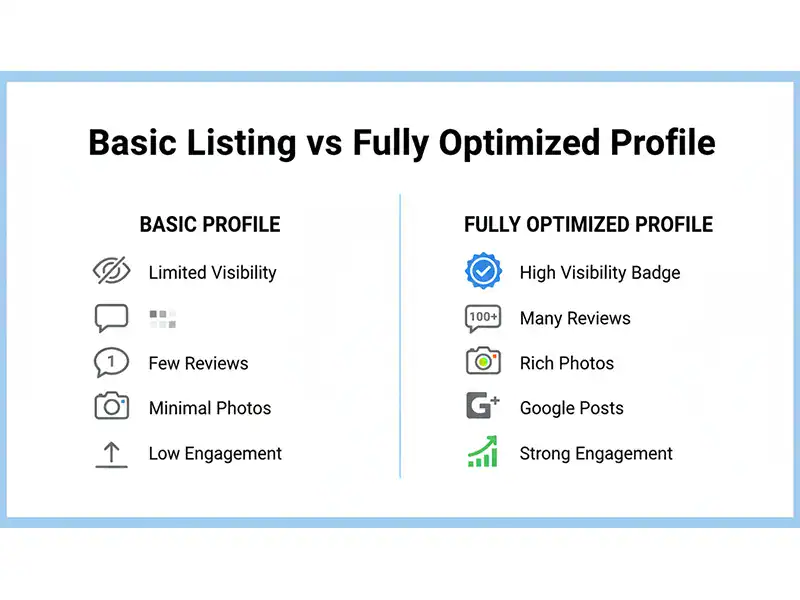
To truly understand the value of a comprehensive Google Business Profile optimization strategy, consider the stark difference between a basic, unclaimed business listing and a fully optimized profile. This comparison highlights why investing in GMB optimization is crucial for any local business aiming to boost search visibility and drive customer engagement.
| Feature | Basic Google Business Profile | Fully Optimized Google Business Profile |
|---|---|---|
| Visibility in Local Search Results | Limited, often buried in local search results. | High, consistently appears prominently in local search results and Google Maps. |
| Customer Engagement | Low, minimal interaction with potential customers. | High, with engaging photos, active Google Posts, and responsive customer reviews. |
| Trust & Credibility | Moderate, relies on minimal business information. | High, with verified business information, active review management, and a complete knowledge panel. |
| Direct Customer Actions (Calls, Visits) | Few, lacks clear calls to action. | Many, with prominent calls to action for calls, website visits, and directions, boosting local marketing efforts. |
| Voice Search Presence | Minimal, often missed by Google Assistant queries. | Strong, optimized for Google Assistant queries, making your business discoverable through voice search. |
| Competitive Edge | Weak, easily outranked by competitors with better GMB optimization. | Strong, consistently outranks less optimized competitors, strengthening your online listing. |
A fully optimized Google Business Profile is a cornerstone of effective local SEO. It ensures your storefront business or service area business stands out, attracting more direct customer calls and in-person visits. This GMB checklist is designed to help you achieve that competitive edge.
Frequently Asked Questions About Google Business Profile Optimization
Optimizing your Google Business Profile is a powerful strategy for local businesses. Here are answers to common questions to help you maximize your online presence and drive customer engagement.
What is a Google Business Profile?
A Google Business Profile is a free tool from Google that allows businesses to manage their online presence across Google Search and Maps. It helps businesses appear prominently in local search results and connect directly with customers. Think of it as your digital storefront for local marketing, essential for any business looking to boost its search visibility.
Why is Google Business Profile optimization important for small businesses?
For small businesses, an optimized Google Business Profile is crucial for boosting visibility, increasing local search rankings, and driving direct customer calls. It acts as a digital storefront, attracting local customers when they search for products or services you offer. An effectively optimized profile, managed by local search experts, ensures your business listing stands out, directly impacting your customer engagement and overall online reputation management.
How often should I update my Google Business Profile?
You should regularly update your Google Business Profile. This includes checking business hours, adding new photos and videos, posting updates or offers via Google Posts, and responding to new customer reviews. Consistency signals to Google that your business is active and relevant, which is a critical ranking factor for local SEO. Frequent updates also enhance the knowledge panel, making your business information more appealing to potential customers.
Can I optimize my Google Business Profile if I don’t have a physical storefront?
Yes, if you operate a service area business, you can still optimize your profile effectively. You should specify your service areas instead of a physical address (unless you also have a customer-facing location). This ensures you appear in relevant local searches without misleading customers about your location. Google understands that not all businesses are a traditional storefront business, and provides options for successful GMB optimization for service providers.
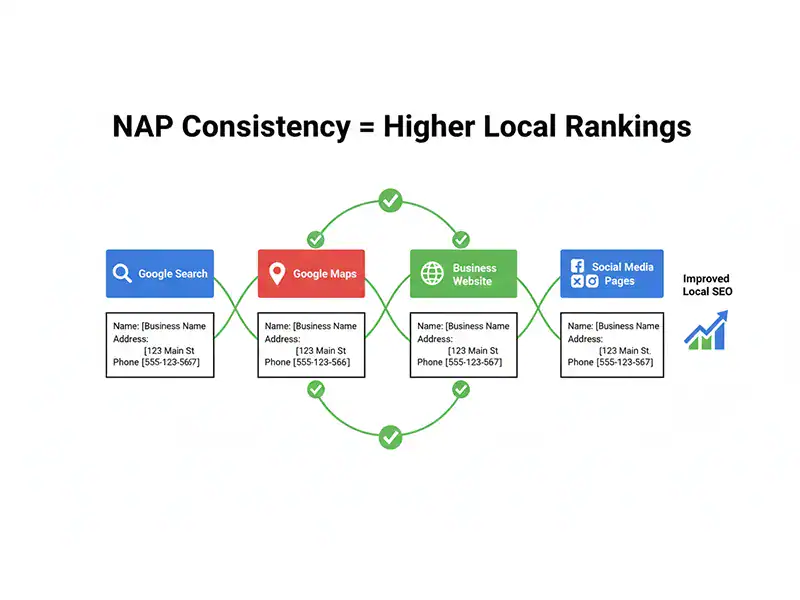
What is NAP consistency and why does it matter for local SEO?
NAP stands for Name, Address, Phone Number. NAP consistency means having the exact same business name, address, and phone number listed across all online platforms, including your Google Business Profile, website, and social media. This consistency is a critical ranking factor for local SEO, building trust with Google and potential customers. Inconsistent NAP information can confuse search engines and negatively impact your search visibility, making it harder for your business to appear in local search results on Google Maps.
References
- Ultimate Google My Business Optimization Checklist
- The Ultimate Guide to Google Business Profile Optimization
- How To Optimize A Google Business Profile (Free Checklist For 2025)
- The Ultimate Guide to Google Business Profile Optimization
- Boost Your Visibility: Google Business Profile Optimization Checklist